Hi Everyone,
After a little bit of a pause, we are back. Apologies to those who missed the weekly publications - life and work got in the way. Like a phoenix rising from the ashes, we are back (again).
The format of the posts will be a little different. A bit more concise and 1 item per app. Anyway, let’s see what this week has in store for us.
Obsidian
Everyone seems to have finally found out that Obsidian is a masterpiece when it comes ot linking it up with AI/LLM models. The markdown nature of your notes is a joy for AI models to read and interpret.
So to move away from all that, here is a video from Mike (I like Mike’s videos) on 5+ Years to Build the Perfect Obsidian Life Operating System
In this video, I walk through the major workflows I run entirely inside Obsidian — journaling with daily questions, quarterly personal retreats, multi-scale planning, habit tracking, Bible reading, task management, and writing — plus show the custom LifeOS dashboard I created that ties it all together.
The point isn't to cram everything into one app just for the sake of it. That's actually a recipe for disaster. It's to put the things that benefit from being connected in the same place, so you have the context you need to consistently take action on what's really important
Interesting Reddit Posts
Thymer
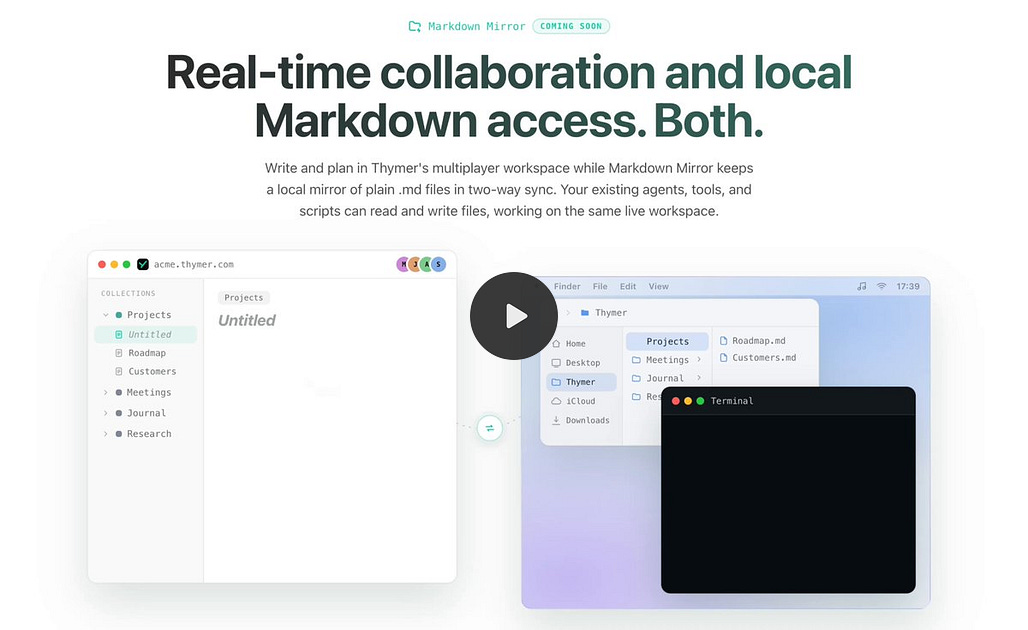
Thymer is still plugging away, and although there's no beta app out yet (coming soon, I promise), the devs are implementing some really cool stuff in the app.
For example, the 2-way markdown mirror sync thing:

Tana
Is this about Tana 1 (outliner) or Tana 2? Always and forever will be about Tana Outliner. Tana 2 is just not for me -, and for those wondering, no, I have not tried it (so, yes, my opinion is based on sound foundations).
Unfortunately, though, there is not much happening in Tana Outliner of late. Slack has been quite quiet, and there has not been much released of late. I guess they could say the same about PKM Weekly, so let’s move on, shall we?
Vellum
When there is silence in 1 app, another app will come in and pick up the slack (no pun intended). Vellum was/is being born out of the duo of Grace and AG who are looking to go one better than the app mentioned above.
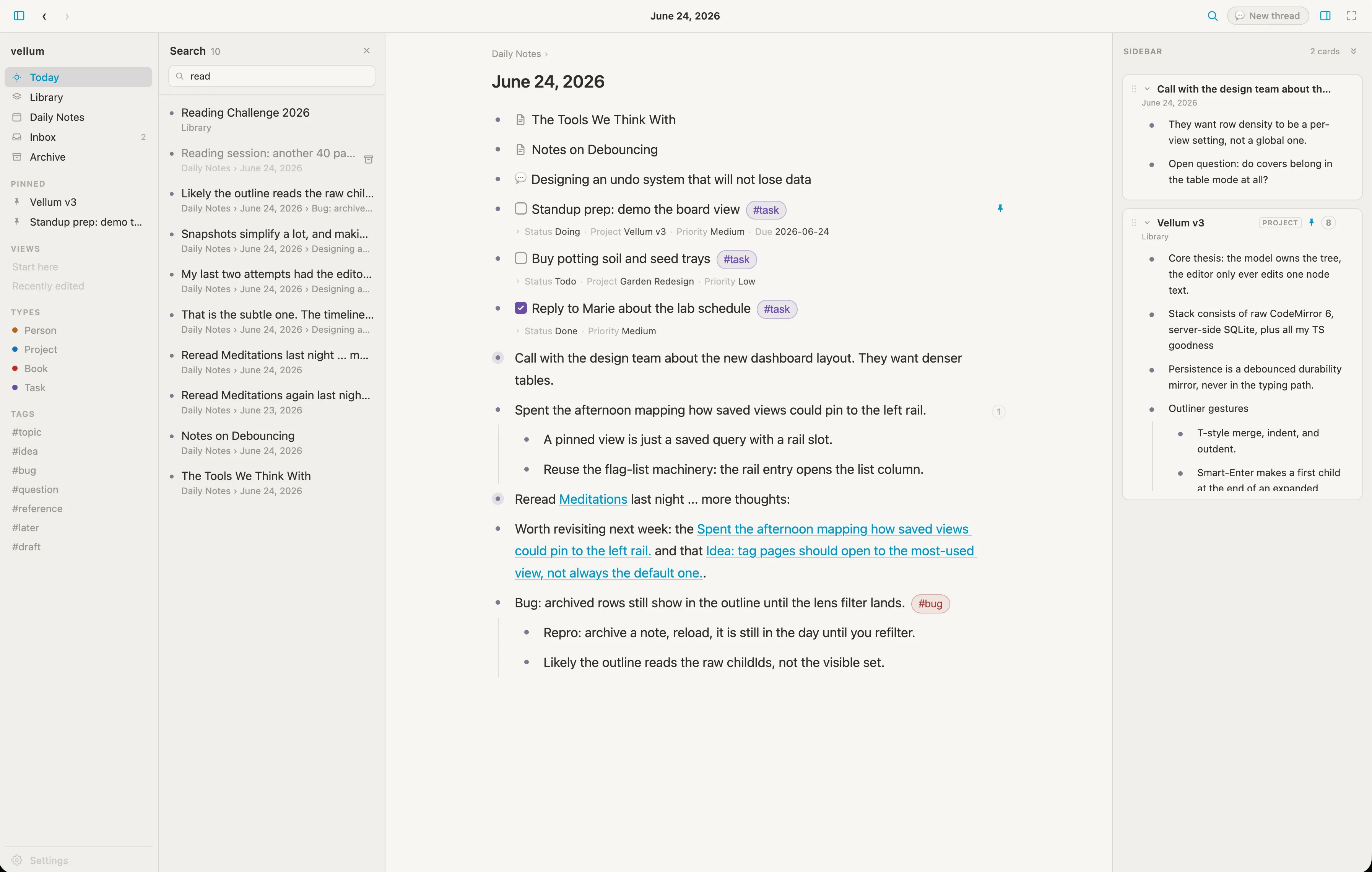
Vellum is slated to have/be:
Local-first and private
Single-player by design
Prose as a first-class citizen
Typed data you can query
AI that lives in the graph
Everything connects
The app is not available to test out (the devs are apparently using it every day), but by the sound of things, an Alpha version should be available in weeks, not months.
Check out vellumnotes and if interested in joining the Discord for early chats with the devs and help shape Vellum, join the Discord.
Logseq
From what I can see, the devs are still working hard on Logseq with lots of polishing and finetuning going on. Logseq Sync is also taking shape nicely.
But a cool plugin caught my eye this week - logseq-navigator-plugin
A three-pane note navigator that replaces the underused native left sidebar in Logseq DB graphs. Browse your graph by Bookmarks, Tags, and Page References — with date-grouped results, pinning, filtering, and previews.
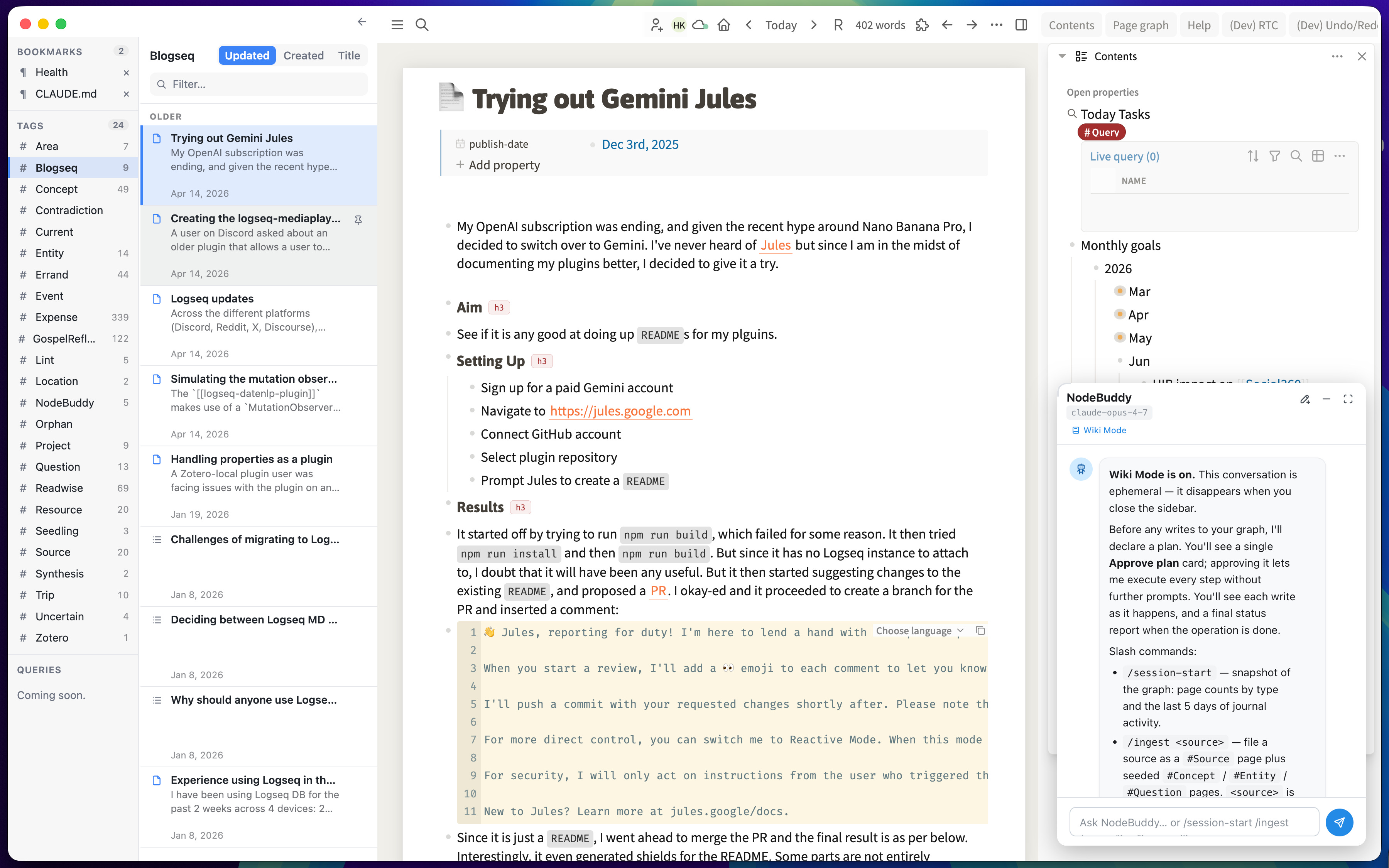
https://github.com/benjypng/logseq-navigator-plugin
Capacities
Capacities has been working hard to implement their MCP and AI connector into the app, giving you more power and ability to have AI interact with your notes.
We worked full steam behind the scenes to build version 2 of our MCP and AI chat connectors. They are now much more powerful as they can create, update, and append to objects. This makes it a very powerful companion when working with AI, as you can simply capture insights and ideas to Capacities.
The MCP does not allow for doing everything with Capacities. It is limited to searching and working with single objects. This means you cannot retrieve all objects of a type or let it browse your queries or task lists. We’ll, over time, extend the MCP and also the new API, which will be released soon as well!
On top, we resolved 93 improvements, bugs, and small feature requests with this release!
Craft
Some exciting news from the Craft team;
Going forward, the team that builds Craft owns Craft. Craft has bought out all of our external investors and is now a fully independent, team-owned company.
What this means for you
Your documents, subscription, and Craft experience are not changing, and neither are our plans for Craft. Our focus stays clear: building the best personal productivity app, with the design quality, attention to detail, and user experience you’ve come to expect from us. The team will continue to build, improve, and support Craft Docs, with Viktor, Craft’s co-founder, leading the company going forward.
What’s ahead
If you’ve been following our recent Spring and Summer Clean-Up releases, you’ve already seen our renewed focus: refining the experience, improving performance, and making Craft better every day.
For more on where we’re headed, we shared a longer write-up a few weeks ago: https://documents.craft.me/whats-next-for-craft-2026-june.
Appflowy
Appflowy is an app I like talking about, as the devs are really cool and what they are building is something else. And the good news is that they have just recently released the latest version of Appflowy.
v0.12.5 is out with exciting updates
Redesigned tab management in AppFlowy to make switching between pages faster, cleaner, and more intuitive with Useful shortcuts ( Check out the full guide here: https://appflowy.com/guide/tab-management)
Block-level comments in database row pages: Keep team discussions contextual with granular comment threads right inside your row pages.
Kanban Board column coloring: Color your board columns based on your group property.
Upcoming releases & Work in progress:
Database row page can be mentioned, shared, favorited, and linked
Revamped database Relations with improved UX and visuals
Space-level granular permissions
Database version history
Griply
A huge update has been released for iOS, which includes:
Goal Roadmap - see your big-picture goal timeline on your phone with the Roadmap view. Premium feature.
Lock Screen widgets - check a goal’s progress and today’s task count without unlocking. Separate from Lock Screen Shortcuts.
Smart Lists - save any filter combination as a reusable list, created and edited from your phone.
Customize the bottom navigation - choose which tabs appear in the bottom bar.
Favorites tab - reach your favorite goals and life areas in one tap.
Multi-day calendar views and time blocking - the calendar was one day at a time. Now get 1 to 5 day views, pinch to zoom the hours, and drag to time block.
and much more here.
Some great stuff from the Griply team and glad to see them shipping quality updates. Next native Android, please :).
Verso Notes
In my spare time of late, I have been experimenting with creating my own app (with the help of Claude, of course). Verso is md based with notes saved locally. You can use your preferred sync solution (Google Drive, OneDrive, Dropbox, etc.) to sync notes across machines.
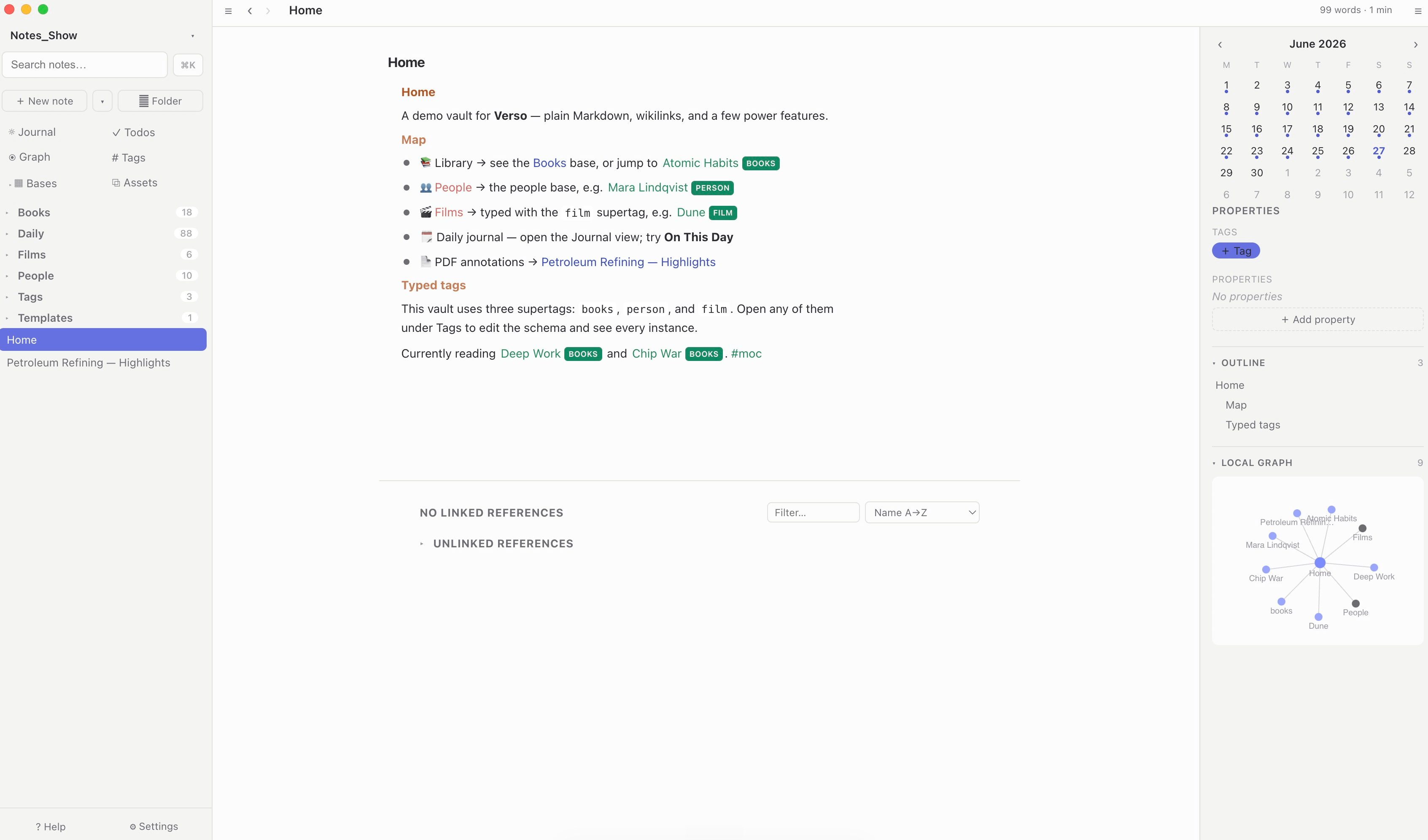
The app allows for:
Saved in plain .md/markdown
Full form writing and good (moving to great) outline experience
Built-in calendar and scrolling journal dates
Folders for those who want this
Images saved in place (and in an assets space)
Todos without needing 10 plugins
PDF Annotation built in
If there is an appetite for this, I will look to make this available online - the plan is to make this open-source and free to everyone - more. I have not even thought of mobile yet, so please do not ask.
That’s all for this week. Thank you very much in advance for reading and I look forward to bringing you more PKM news next week.
Sick updates, that notebook navigator plugin for Logseq actually looks so good makes me want to redownload. Especially since their sync is improving too. 👀
I’m rather married to capacities right now tho so maybe it would make sense as a writing utility alone.
Your app looks pretty cool Ed. AI has changed the landscape.