Hi Everyone,
We are back with another episode of PKM Weekly. Let’s see what is in store for us today.
Obsidian
How To Build LLM Wiki In Obsidian? 🧠 A Memory Layer For Any Agentic AI
Wanderloots: How do I build a LLM Wiki? How can I future proof my knowledge systems for both myself and for AI, so I don't lose work, ideas, and knowledge between tools? The solution: a custom wiki, one that gets smarter the more I use it, a shared memory layer for myself & every AI tool I use, forever.
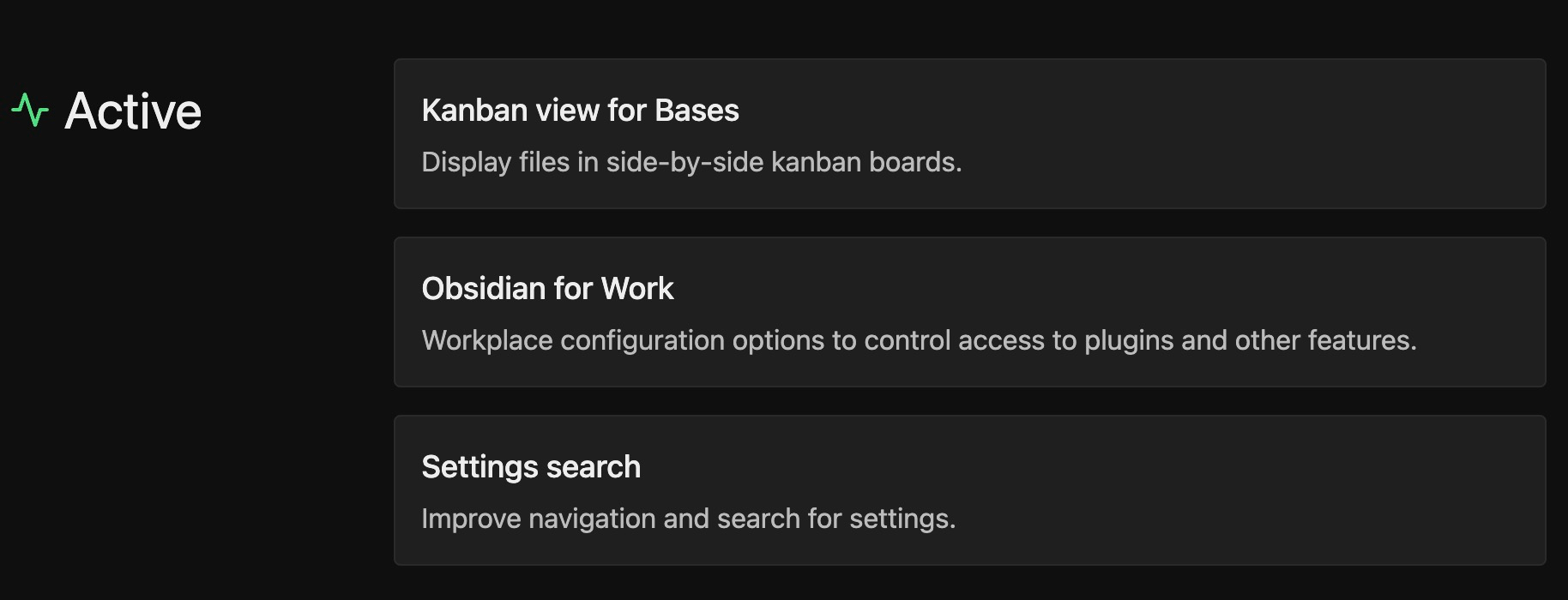
Roadmap Update
A slight update to the Obsidian Roadmap.
Interesting Reddit Posts
I built Moments — a lighter take on daily notes for Obsidian - I’ve used Obsidian for years, but daily and periodic notes never stuck for me — too much overhead creating each note and linking it back to everything. So I built a plugin to scratch that itch, and it’s now in the community directory.
If you’re having trouble using Obsidian then this one simple trick may help you get things going - My actual advice is something I just discovered in my old “Misc/Old Notes” folder while sorting through it. Now, this is only for people who want to get more out of their vault, if you’re only using it as a notetaking app, that’s perfectly fine, and it doesn’t need to be anything more than that. But if you’re trying to squeeze more juice out of your usage of Obsidian then keep reading.
Operon is live: a new task and project management system for Obsidian workflows - The core idea is simple: I wanted something more capable than checkboxes, but I did not want my work to leave Markdown or pull me out of flow. Tasks show up across daily notes, project notes, meeting notes, references, and long-running areas, then need to be found, edited, scheduled, repeated, or tracked later.
Thymer
Beta Coming soon…with 2-way Markdown mirror?

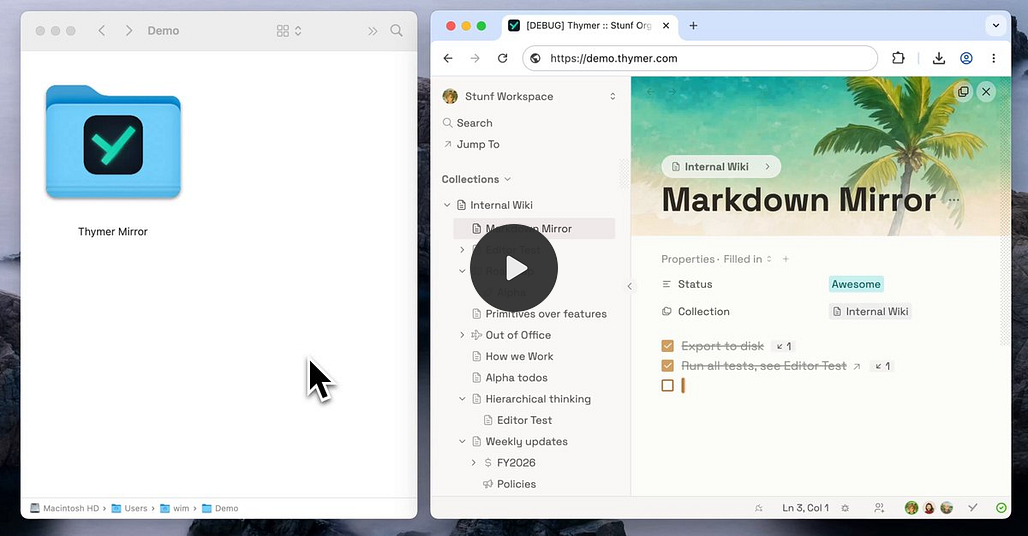
Join the unofficial Discord for more chat and updates on when the beta might be released.
Capacities
Recent Additions
Recent additions to Capacities include:
Floating image analysis affordance on image embeds — quick analyse trigger and an OCR/colours preview, with a scan icon when analysis is available.
New image categories for media analysis output — Photo (animal) and Cover.
Label localisation — label properties now follow the user’s language.
Esc in a task title now escapes the auto-fill of properties from keywords like “today”.
Raycast Integration fixed again — you may need to create a new connection in the Raycast settings.
Steady polish on top of the Release 64 recurring-tasks work.
How to use recurring tasks to maintain your life, by Beth
As soon as I got access to Capacities recurring tasks, I moved out of Todoist into Capacities. Out of interest, I asked Claude for a “State of the union” overview of my tasks in Todoist. One part of its answer really stuck with me: my “recurring tasks reveal what you believe your life should look like, not just what you’re trying to get done“. It was right of course.
Check out the article here:
Bulk import.
TANA
New Tana - Open
The wait is finally over — you can now get your hands on the new Tana.
This is a radically different product. If you’re coming from Tana Outliner, you’ll recognize some powerful concepts underneath — Supertags are now types, for example — but the new Tana is not trying to replicate everything the outliner could do. It’s a different vision built on the same foundations. Come in with an open mind and let it show you what it’s becoming, rather than looking for what’s missing from before.
The new Tana is an AI-native product built for team collaboration — particularly around meetings. We know that’s not what everyone in this community is here for, and that’s completely fine. Tana Outliner isn’t going anywhere. If the outliner is what works for you, keep using it — we’re continuing to improve it too. Both products will coexist, and you don’t have to choose.
Most of our energy has gone into the meeting experience. The editor and broader workspace are still rough around the edges — we know, and improvements will be coming. If something feels underdeveloped there, it’s not forgotten, just not the focus yet. We’d still love to hear what you miss being able to do, or need when you start using it.
When in doubt, ask AI. This is probably the single biggest shift. The AI has access to your entire graph and all the same tools you have as a user. Want to restructure something? Create a doc? Pull info together from multiple sources? Update a table? Just ask. Think of it less like a chatbot and more like a colleague who can actually go do things.
Full post here.
Semantic breadcrumbs — navigate "Part of" relationships
You can now define semantic relationships between entities that are "part of" each other — and get navigable breadcrumbs that show the full hierarchy. Think: Oslo → Norway → Europe. Or: Note-taking → Writing → Communication. The breadcrumb appears at the top of each node, so you can click your way up the chain.
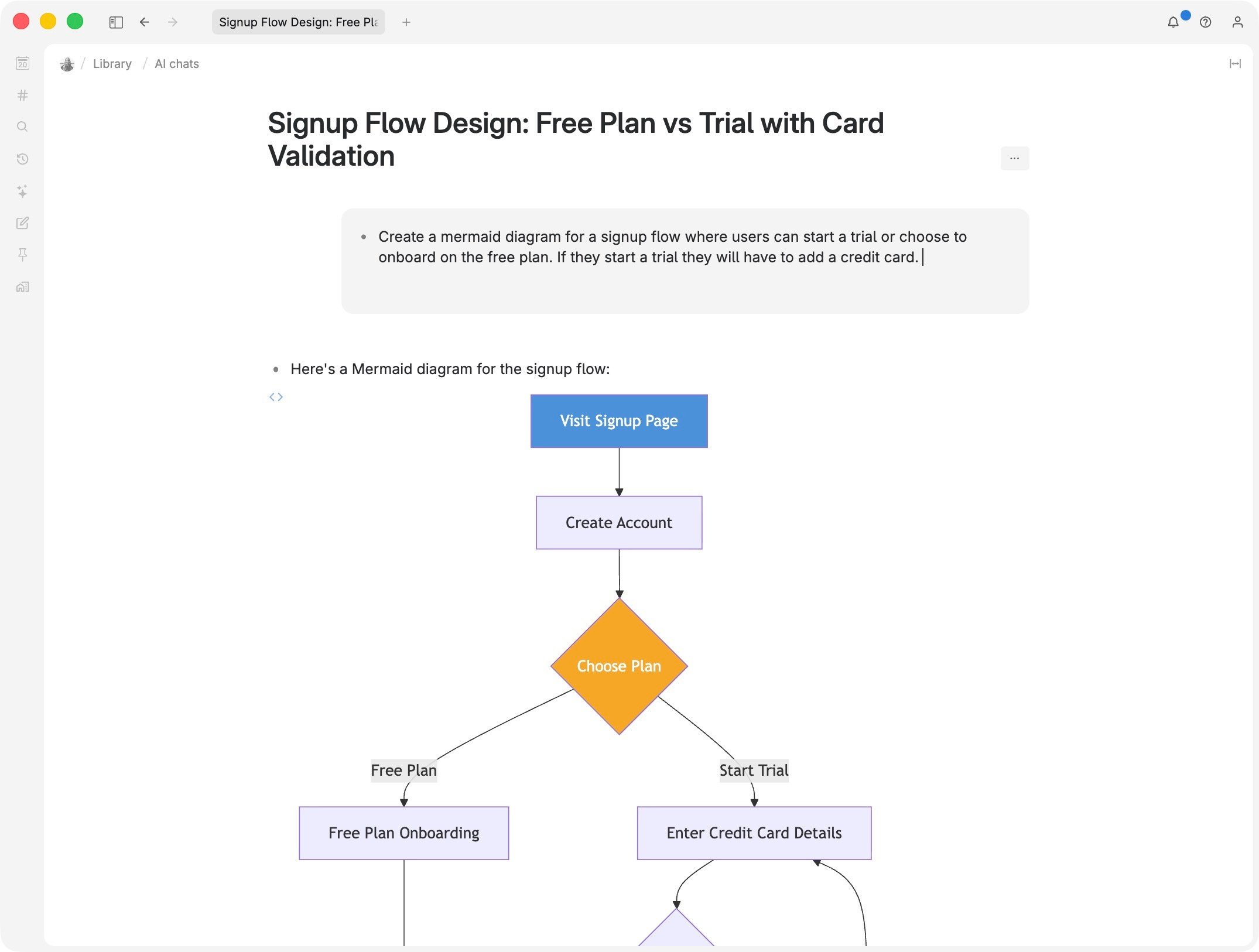
Mermaid diagrams via AI chat
You can now ask AI to create mermaid diagrams directly. Flowcharts, sequence diagrams, entity relationships — just describe what you need and the AI will generate it.
Logseq
Improve gallery view
PR to improve a few things in the gallery view:
Add configurable gallery asset/display properties and card sizing.
Add gallery view schema properties plus DB migration to persist settings.
Refine gallery card rendering, mobile-friendly layout, custom size sliders, dimension bounds, and property text styling.
Octarine
Octarine continues to set the pace, with several releases in this past week alone.
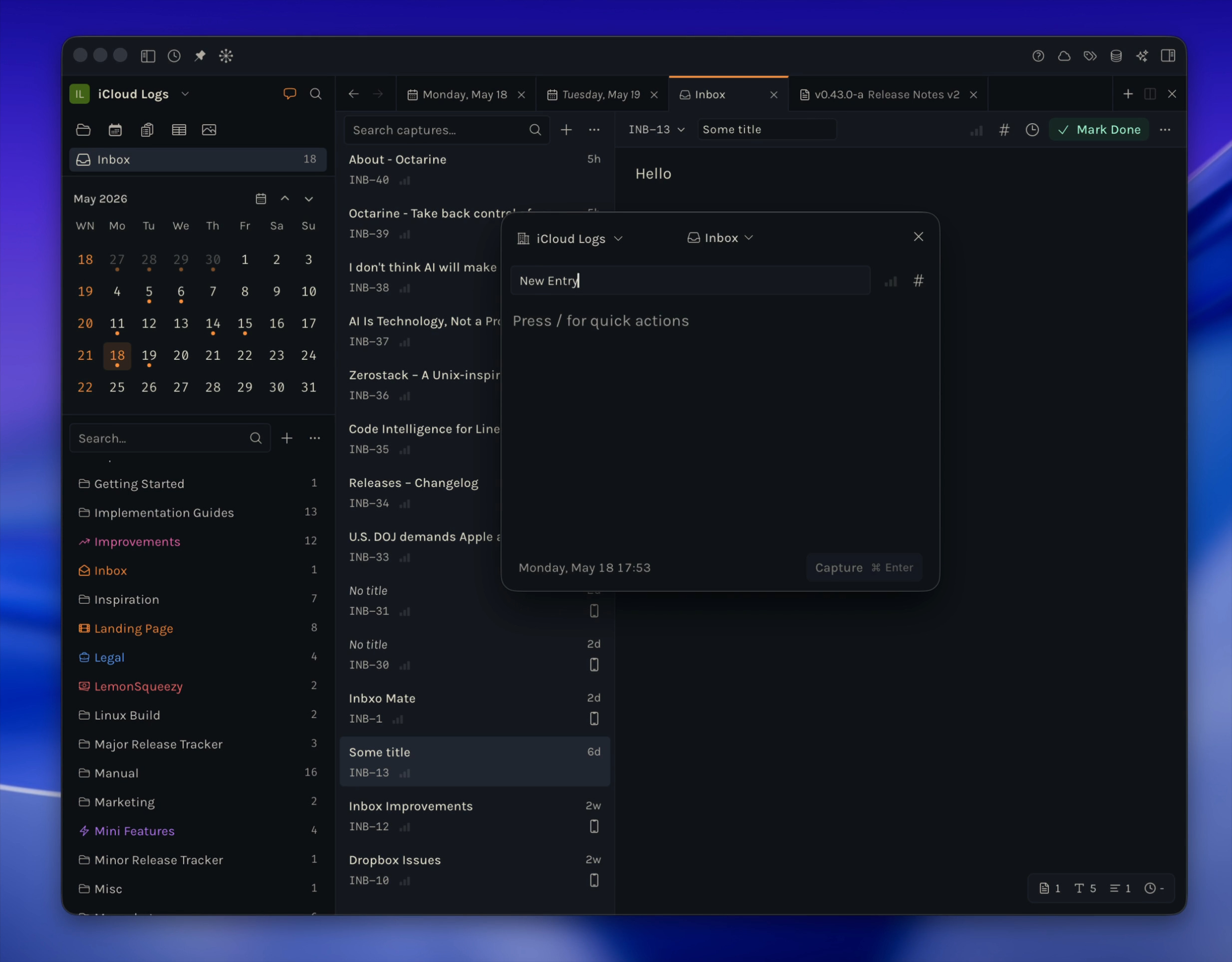
V 0.43.0 (18 May 2026) - Dedicated Inbox for triage, Quick Capture popout, title sorting, bug fixes. The Inbox is the meaningful one here — a proper triage surface separate from the main note list, which is something Octarine has been missing for anyone who uses it as a daily capture tool.
V 0.43.1 (20 May 2026) - Enhanced workspace search with filters, improved inbox display, bug fixes.
V 0.43.2 (22 May 2026) - Fullscreen Mermaid Diagrams, improved inline code editing, bug fixes.
v0.43.3 (23 May 2026) - Note Types,
.octarine/types.jsonnow behave as source of truth for note types and the app actively watches for external changes made to it. Note Type is now available as a filter and column in Views with a dedicated cell with the correct color and icon.
Heptabase
AI Agent: Edit card content
AI Agent: View mention links, sub whiteboards, and more
Models in the AI Chat mode can now read your images, mentions, text colors, and sub-whiteboards.
AnyType
Anytype Desktop 0.55.0
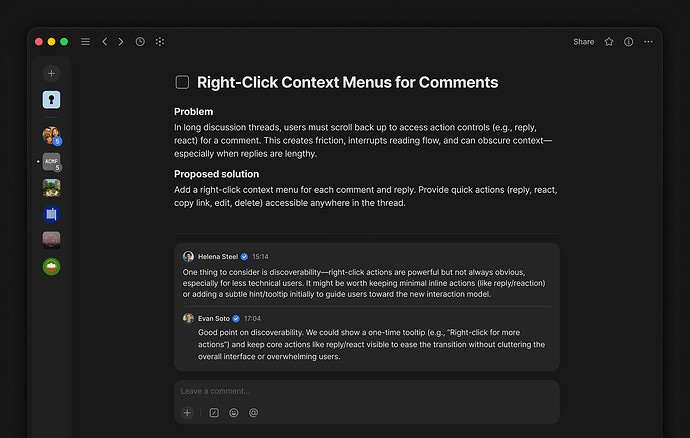
This release introduces Object Discussions — comment and have threaded conversations directly inside any Object. Spaces and Chats merge into Channels with a redesigned creation flow, files become first-class Objects you can upload and organise, Bookmarks get a dedicated layout, and the new Anytype Agents’ Skill lets AI coding agents read, create, and manipulate your data.
On top of that: a redesigned Bin with delete permissions, a new Sidebar view mode, pinned messages, and a long list of fixes and quality-of-life improvements across the app.
For more, see the release notes
That’s all for this week. Thank you very much in advance for reading and I look forward to bringing you more PKM news next week.
First time I'd seen Octarine in one of these — that block-based take sits somewhere between Workflowy and Logseq from a quick look.
Adjacent thing I built that might fit a future round-up: Klipptik. Where note-apps treat a YouTube video as a link, this is the same library shape but the video is the entry — clips on the timeline, all of it tagged and searchable. Founder disclosure; happy to send a founder account if a slot ever fits.