Hi Everyone,
We are back with another episode of PKM Weekly. It has been a few weeks since the last one. Apologies for the gap, and as a result, this is a catch-up edition covering as much as possible from the past few weeks. There is quite a lot to get through, so let's dive in.
Obsidian
The Future of Obsidian Plugins
The big news is The future of Obsidian plugins announcement on 12 May 2026. With Obsidian plugins now passing 120 million total downloads and over 4,000 plugins and themes in the directory, the team has launched the new Obsidian Community site and a developer dashboard.
The highlights:
New Community directory — browse, search, filter and sort across dozens of categories (Integrations, Bases, Charts, etc.). Each project has its own detail page with screenshots, paid/official labels, and a safety scorecard.
Automated reviews for every version — until now only the initial submission was manually reviewed. The new system scans every release for security and code quality, with malware scanning included. Manual reviews continue for popular and flagged plugins.
Backlog cleared — over 2,300 queued submissions were processed in the days leading up to launch. If you have been waiting on a review, go check the dashboard.
Developer dashboard — claim and manage your projects, run preview scans, see scorecard results, and edit your profile page (with sponsorship options).
Coming soon — capability disclosures (network, file system, clipboard, etc.) before installation, verified author labels, private plugins for teams, and team controls over which community plugins are allowed.
Obsidian Roadmap
I cannot remember what was on the roadmap the last time I posted it but it feels like it has been updated of late:
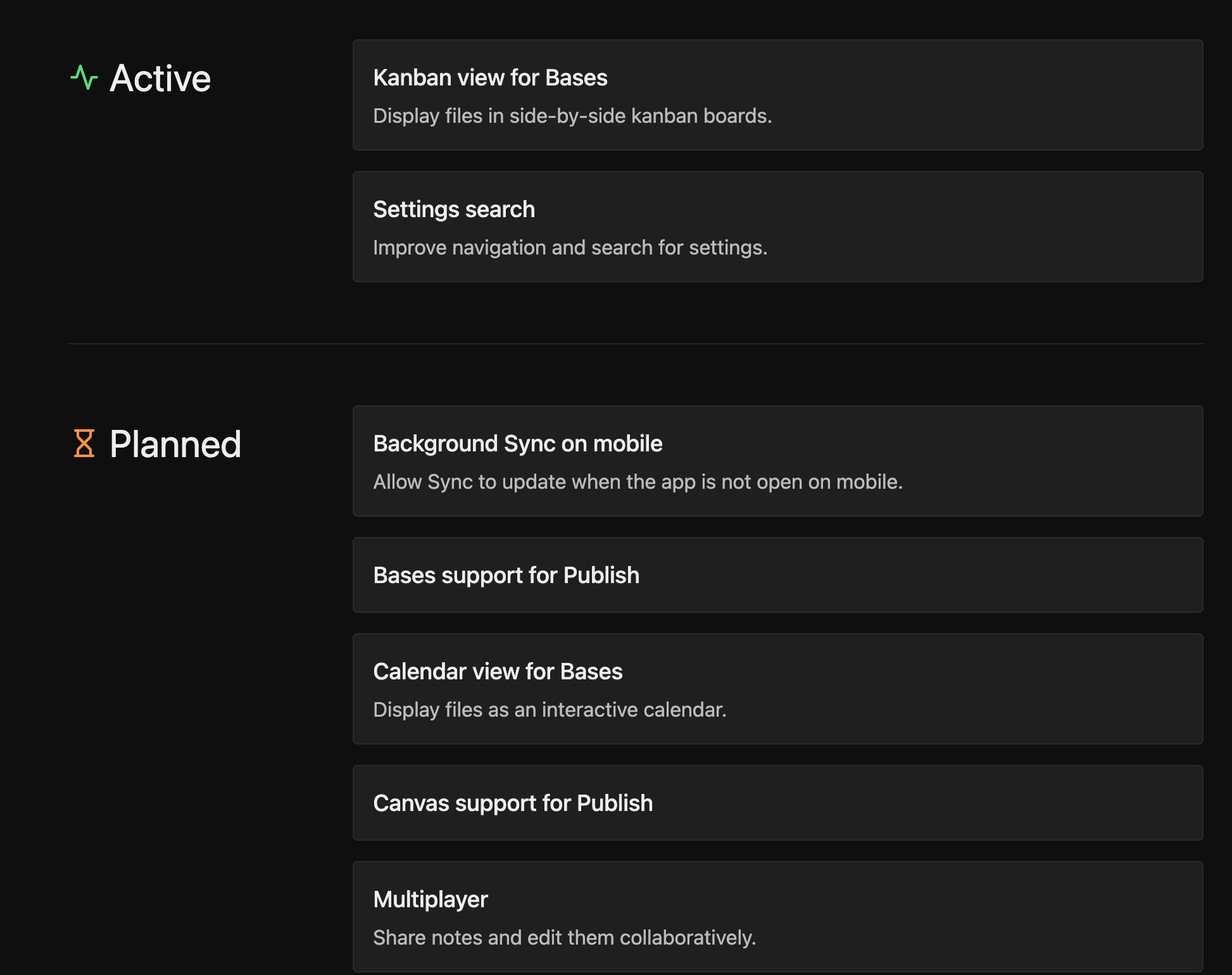
Some cool things to look forward to.
Interesting Reddit Posts
Thymer
No sign of the beta release…yet, but the devs are working hard on it and implementing lots of fool improvements, including managing (many) properties more easily
Join the unofficial Discord to be one of the first to know when the beta is released or even grab an early alpha invite code.
Capacities
A very busy six weeks for Capacities, with four big releases.
Release 61 — Media analysis for your images (April 2026)
Capacities AI can now analyse any image with one click, extracting a better title, short description, OCR text, colour palette, and category. All extracted text is indexed by full-text search, so you can finally find images by the words inside them (works on handwritten notes too). Currently in Beta for Believers with AI enabled. Also added: tag aliases.
Release 62 — AI Chat Connectors (April 2026)
Capacities Pro users can now connect their space to ChatGPT, Claude, Le Chat, Cursor and other tools via MCP. Once connected, your AI assistant can search your notes, read full objects, add content to your daily note, and link objects in its responses.
Release 63 — Related Content, Deadlines, and Search 3.0 (April 2026)
Related Content — the closest 5 related objects appear in a section below every note (Pro/Believer only). Works with image analysis too. Configurable in Settings > Editor.
Task deadlines — tasks now support an optional deadline property, integrated into Inbox, Today, and future-day views. Earlier deadlines come first in sort order. Also: a subtle progress ring on the task checkbox for tasks with sub-tasks, and drag-and-drop in the Scheduled kanban view.
Search 3.0 — results now include conceptually related content, not just exact phrase matches. New
Auto,Exact, andSemanticmodes. Note this is a breaking change: the default for search queries changed toAuto. If you want the old behaviour, switch toExact.
Plus AI Assistant upgrades (link objects with @ in chat messages, auto-save chats, auto-generated titles), broad UI polish, and full Bulk Import for Believers.
Release 64 — Recurring Tasks and Choose Your AI Model Provider (May 2026)
recurring tasks. You keep working from the same task object — Capacities logs each occurrence and moves the date to the next one. Supports both Scheduled Date (every Monday) and Completion Date (every 3 days after you finish) modes. There’s also a Skip option for missed occurrences and an Excuse option to keep your streak when you’re on holiday. Each recurring task has an occurrence log, streak stats, and a heatmap (experimental). All future occurrences are rendered with a dashed checkbox in the calendar.
multi-provider AI. The AI Chat now supports OpenAI, Gemini, Anthropic, Mistral, and xAI models, with a visible indicator showing which are hosted in EU data centres and how quickly each model uses your AI budget.
TANA
Tana Shifting Currents
The April Tana Current on April 21 covered a lot of ground. Ingrid walked through what’s shipping for Tana Outliner, Olav addressed timing/pricing/naming for the two-product split, and Theo gave the community its first live walkthrough of the new Tana.
The headline points:
Q2 theme for Tana Outliner is “improving the day-to-day experience” — reliability, paper cuts, and the features people use most.
Subscribers get both products — if you are already paying for Tana, you get access to the new product as part of your existing subscription for the rest of the year.
New Tana pricing — there will be a free plan; the full experience is planned at around $20/month for early access.
App rename — Tana Desktop and Mobile are being renamed to Tana Outliner. Everything else (data, settings, app icon) stays the same, though on Mac you may need to re-dock the app.
Compliance — the new Tana is launching with SOC 2 and GDPR; HIPAA expected within a couple of months.
Latest Outliner Release
13 May release (v.518–520):
Drag and drop between groups updates fields — drop a task into the “In progress” group and its status changes; drop one into another person’s group and the owner is reassigned. Works for options, options from supertag, date, and tags. You can drop into empty groups too.
Copy node ID command — for MCP users who want to point Claude Code or Codex at a specific node without trimming URL parts.
Backup audio recording for meetings — keep the original audio alongside the transcript so you can re-transcribe later (useful when the network drops). Toggle via the command palette.
Paste code with formatting — copy from Claude, GitHub, or your editor and it becomes a proper code block with syntax highlighting, instead of a single line of plain text.
Snappier autocomplete with thousands of entries — picking from large person/company tags now finds the right one sooner.
A long list of local MCP fixes — Claude Code sign-in, concurrent requests, case-sensitive
textMatches, and overdue search with custom task tags.
Logseq
Updates
A more substantive update than usual to report - thanks Danzu! Update
Logseq is splitting into two versions — important direction update on where the product is heading: https://logseq.io/p/e3YDyX5AYr
Sync testing is open to Sponsors. - Backers** — if you back at $5/month, you’ll soon get an invite to try the new Sync.
Markdown Mirror — read-only on-disk markdown projection of your DB graph (opt-in per graph). Two-way sync is in active development.
The Logseq CLI is now a real thing —
qmd queryfor multi-part queries,sync asset download, unified backup with the desktop app, bundled into every desktop release.Graph View V2 — rebuilt for big graphs, with a follow-up task zoom-in view.
New
:assetproperty type with a 4-column thumbnail grid picker, inline preview, and View/Swap actions.Recurring tasks finally honor the three documented repeater cookies (
.+,++,+) instead of behaving like++for everything.Sync gets sturdier across reconnects, encrypted graphs, and large payloads.
Plus AVIF/CR2 image support, “Always on Top” window option,
$autopair for inline math, plugin marketplace description search, plugin thumbnails, Firefox paste fix, Windows file URL fix, breadcrumb improvements, and a long tail of editor and import fixes.
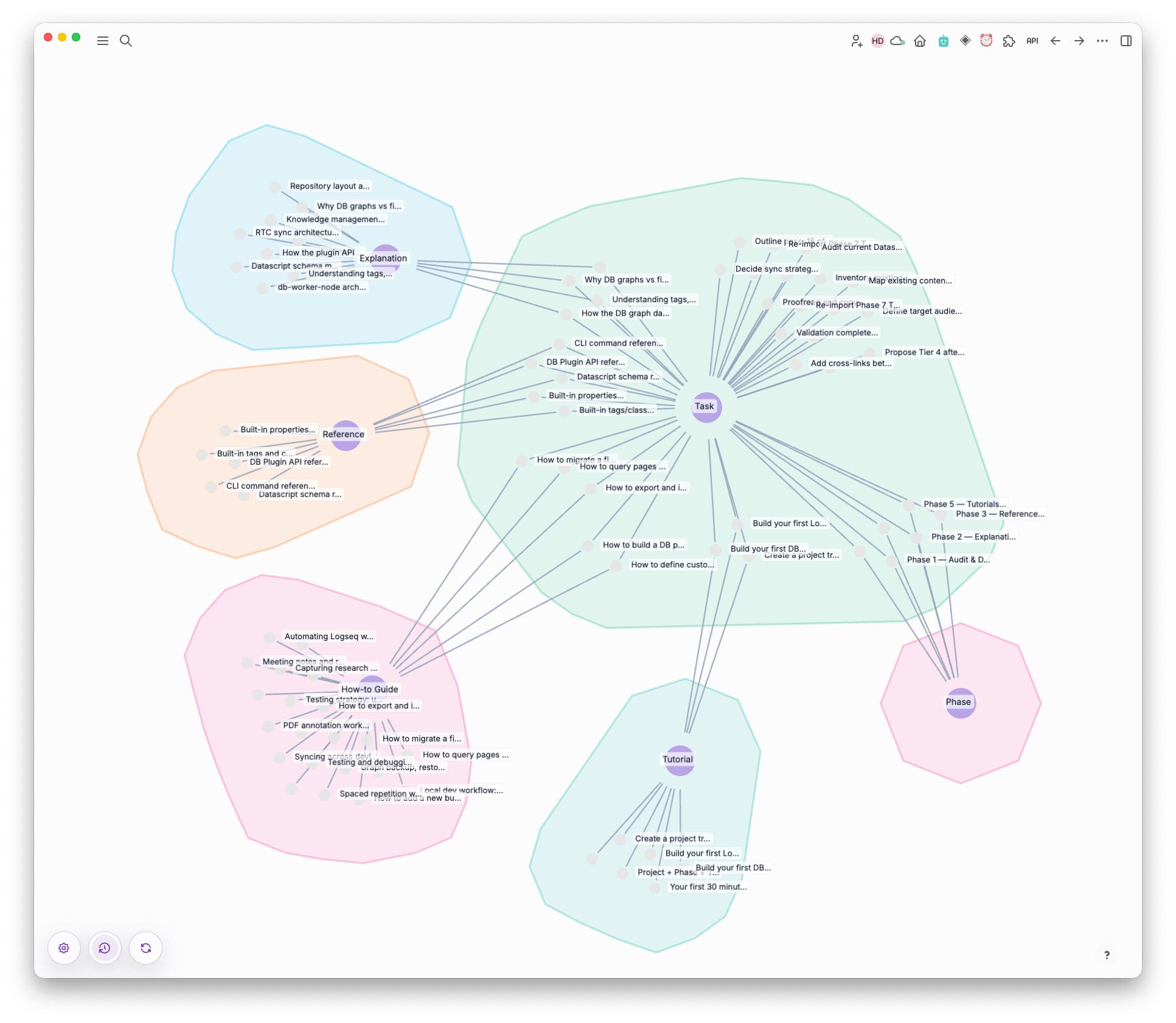
Public Roadmap
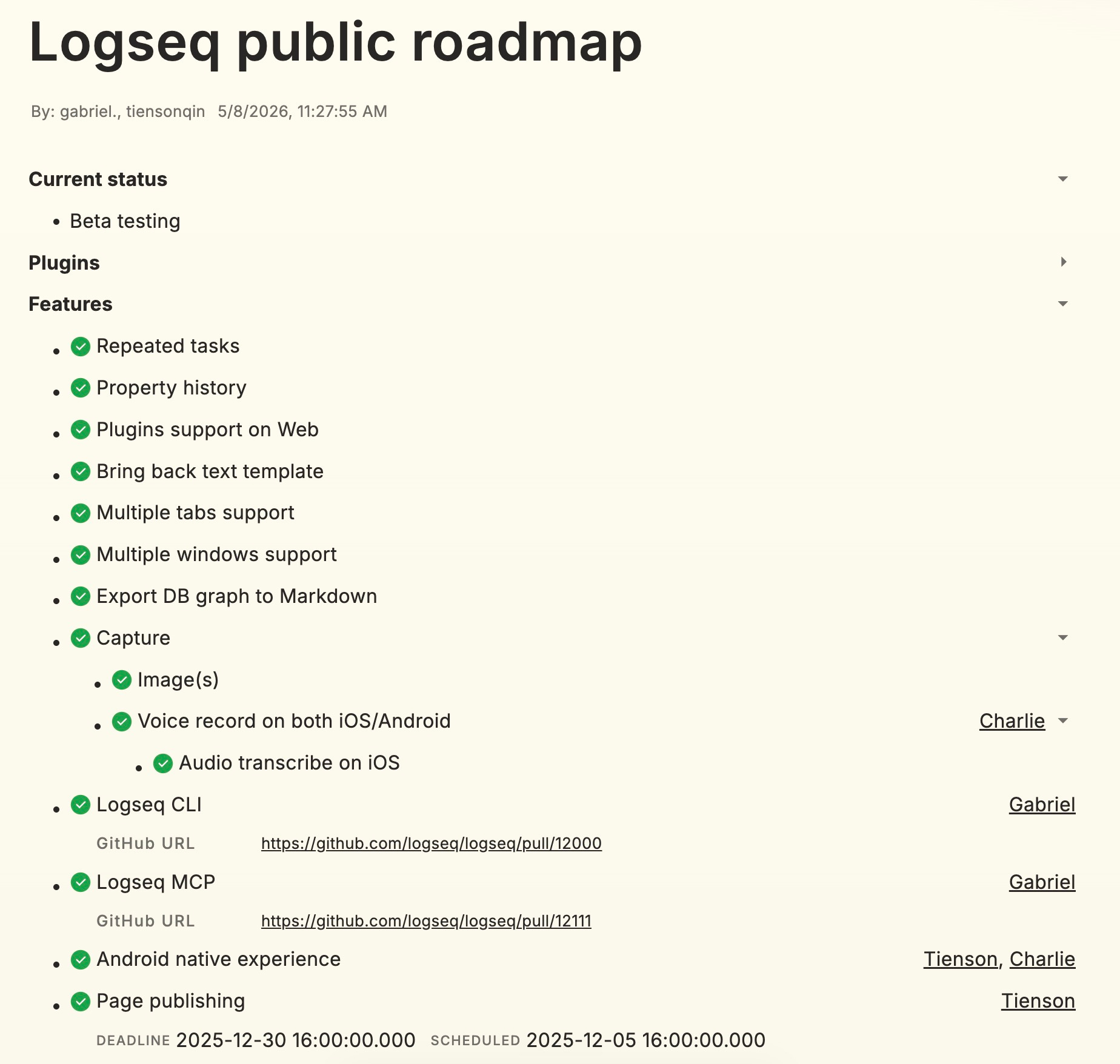
The Logseq team has made available a public roadmap online. Check it out here
Octarine
Octarine has continued shipping at a relentless pace, with five releases in the past four weeks.
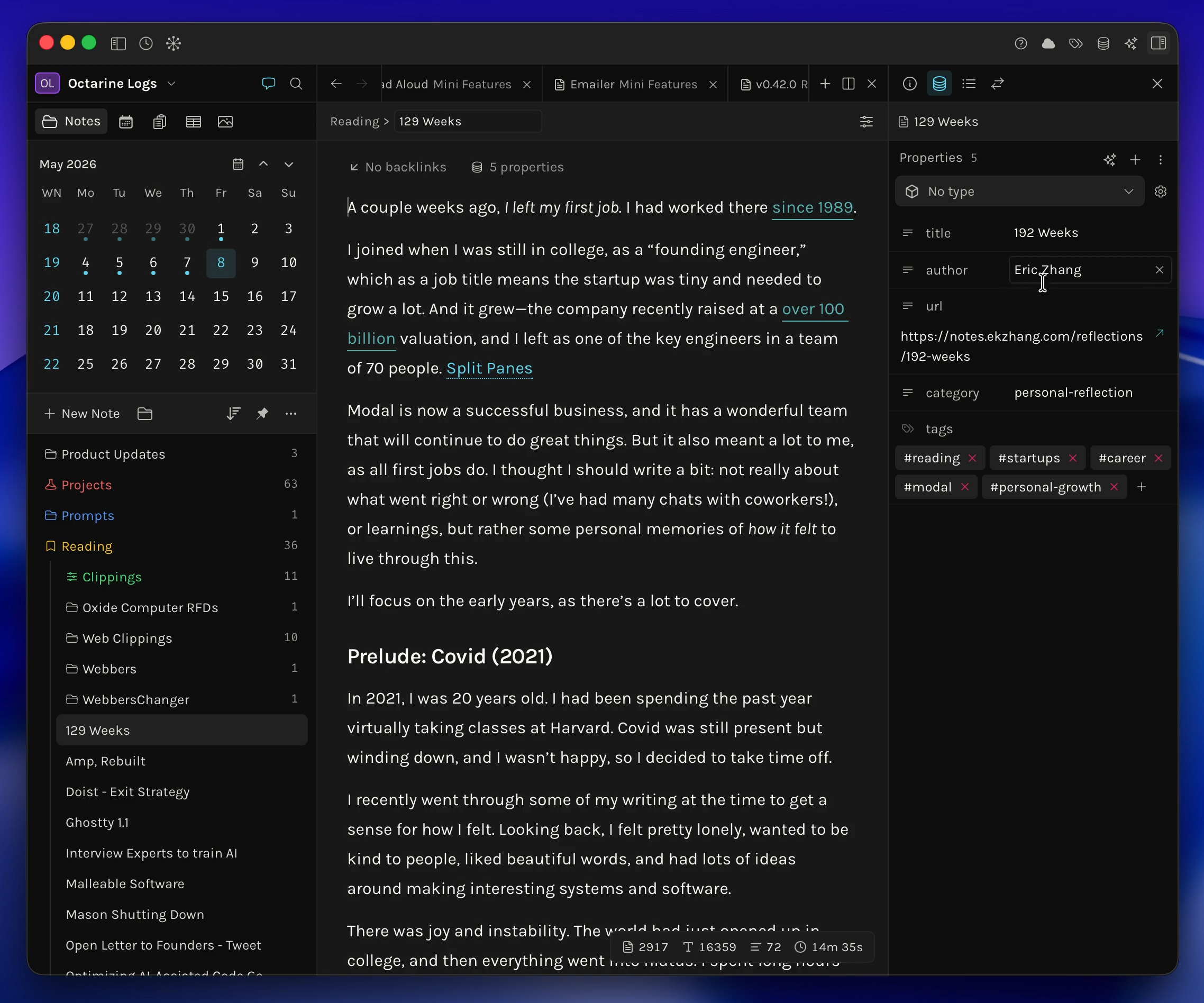
V 0.42.0 (8 May 2026) - Meta sidebar for properties, workspace note types, popout notes (open any note in a separate window), bug fixes.
V 0.42.1 (9 May 2026) - Sidebar quick search for Notes and Templates, workspace search filters.
V 0.42.2 (11 May 2026) - Pinned notes in top breadcrumb, graph view with properties, web search support.
The Meta sidebar and Graph View overhaul are the two changes worth opening the app for. Changelog.
Workflowy
2026.04 Update - Google Calendar Sync (April 21)
Workflowy now connects to your Google Calendar - events appear automatically in your Calendar node, with details and Google Meet join links inline. You can choose which calendars to sync. Requires Workflowy Calendar to be enabled.
Other improvements:
Found Dates now supports date ranges, including ranges in the Notes field.
Fixed: dated Mirror nodes appeared as Found Dates even when the setting was disabled.
Mirror To Date now works for all node types.
Sorting a Numbered List now correctly places numbers before non-numeric characters.
The To-do node type now works in the multi-select menu.
Fixed scrolling issues with boards on mobile.
With Quick Add (February), Email to Workflowy (March), and now Google Calendar Sync (April), Workflowy is steadily turning into a more capable hub for daily planning.
Heptabase
Heptabase CLI
v1.91.0 (April 22) launched the Heptabase CLI, with Official CLI Skills you can install for your AI agent. The CLI has expanded quickly:
CLI 0.2.0 (v1.93.0, May 6) - Whiteboard commands.
CLI 0.3.0 (v1.94.0, May 13) - Tag & Card property commands. Read a tag database’s property schema, read property values on any card, and edit a card’s property values. Can’t yet create new tag databases or rename property columns.
Other Notable Updates
Goal Discovery (v1.90.6, April 20) - AI reads across your recent whiteboards and surfaces the learning directions already taking shape in your thinking. Free to try.
Export Whiteboard as Image (v1.89.0, April 2).
Live public link for cards (v1.92.1, May 1) - share a public link to a whiteboard or card directly to social media.
Mobile PDF highlight and annotation - landed for iOS/iPadOS in v1.35.0.1 (April 22) and for Android in v1.35.3 (May 4).
GPT 5.5 model support (v1.93.0, May 6).
A lot going on. AI Tutor is a real new product within Heptabase, and the CLI is a genuine step beyond what most PKM apps offer.
Noteey
The new version V1.55.0 is now available for download! New Features and Improvements:
Optimized memory usage during image import
Tag database improvements
Card library improvements
Optimized icon styles in the left sidebar
Support for adding descriptions to tags
Video annotation menu improvements:
Automatic subtitle download and AI summary support for Bilibili videos
Support for copying links in the info menu of online videos and web page links
Bug Fixes (including but not limited to):
Fixed an issue where text could not be copied from mind map nodes
Fixed an issue where the text editor dialog failed to save properly when switching between boards
Fixed an issue where the bubble menu was positioned too high when an image was selected inside a card
Fixed various issues with the Tag database
Fixed an issue where the subtitle font size was too small in the video menu
That’s all for this week. Thank you very much in advance for reading and I look forward to bringing you more PKM news next week.
I’ve missed your letters. Switched it over to capacities (from Workflowy last 3 yrs) about a month ago, the change has been quite drastic.
I haven't verified using any kind of archived page, but I'm pretty sure the change to the Obsidian Roadmap included the removal of the Community Directory from the "Active" section (since it just released) and the addition of background sync for mobile under "Planned." Everything else looks the same to me.