Hi Everyone,
We are back with another episode of PKM Weekly. Let’s see what is in store for us today.
Obsidian
Obsidian is Hiring
The Obsidian team is growing from three engineers to four. Competitive SF salary, fully remote, live anywhere.

Plugin Ecosystem Keeps Growing
Another busy week for the Obsidian plugin ecosystem. According to ObsidianStats, there were 5 new plugins and 71 plugin updates during the week of March 22-28.
Some notable new plugins:
Calendar Bases - Turns Obsidian Bases results into a calendar view so notes with date properties can be viewed in a month layout. You can drag items to reschedule them and the plugin updates the frontmatter to match.
Graphic Organizer - Creates a visual tree showing folders and files on a zoomable canvas, giving you a bird’s-eye view of your vault structure.
Synaptic View - Turns a note into a configurable dashboard that opens the files, web pages, journals and calendar views you need most — without building a manual homepage.
Kanban Bases View - Turns an Obsidian Base into a kanban board where notes are grouped into columns from any chosen property, and you can move cards between columns with drag and drop.
Stop Copying Files Into Obsidian | Folder Bridge Plugin
Obsidian usually forces you to move files into your vault just to work with them. That ends today. I’m going to show you how to virtually mount a hidden system folder, a media library, or remote sync folder directly into your sidebar without moving a single file into your vault
Interesting Reddit Posts
Thymer
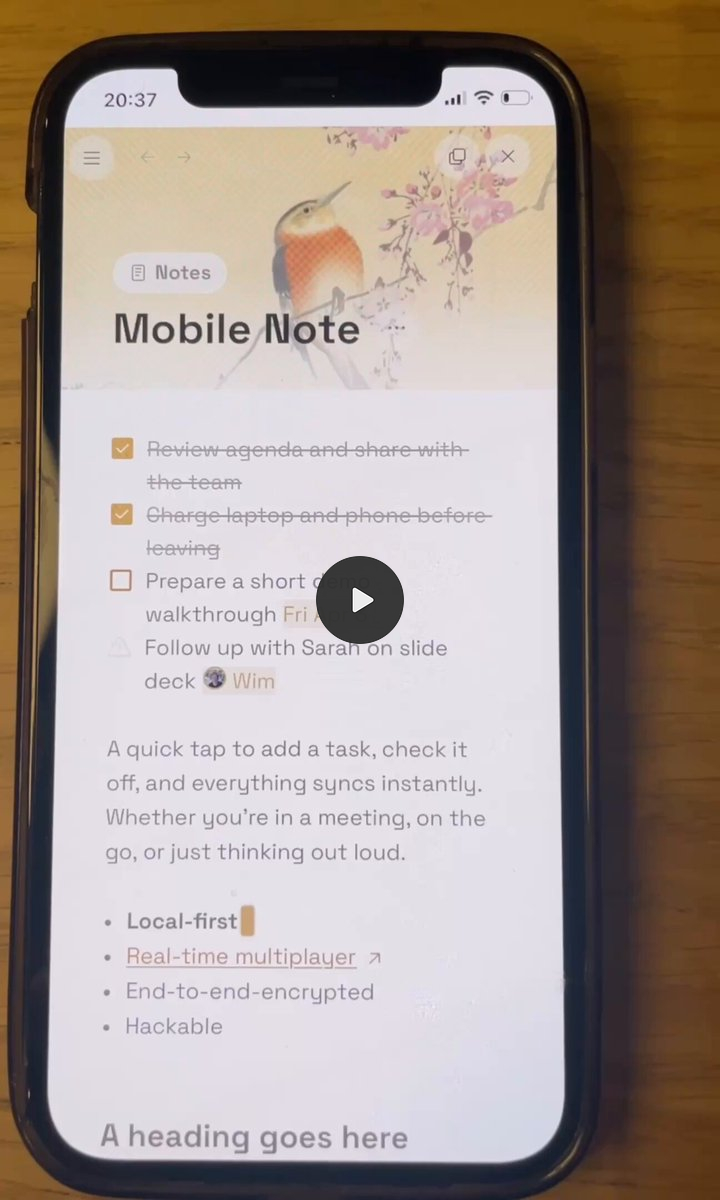
Mobile - Coming Soon

Discord Discussions
Markdown Export & External Tool Compatibility: Discussion about Thymer’s Markdown mirror, including issues with metadata and broken wikilinks, and requests for cleaner export options to facilitate better integration with other tools like Obsidian.
Note Organisation and Workflows: Users share strategies for managing large numbers of notes using collections, tags, views, and journals, with particular interest in backreferences and methods for cohesive organisation.
Workspace Management & Data Segregation: Details on creating multiple workspaces, the current limit of 8, and a debate around the benefits and risks of allowing data transfer or linking between workspaces (e.g., for AI sandboxing, collaboration, or preventing accidental data exposure).
Plugin Development & AI Assistant Usage: Community efforts to develop and share plugins, challenges faced with AI assistant (Claude) usage limits and debugging, and tips for optimising AI model choices (Haiku, Sonnet) for cost and efficiency.
Mobile App Development & Usability: Anticipation for the iOS and Android native apps, progress on the mobile PWA (Progressive Web App), and feedback on current mobile editing issues such as copy/paste, indentation, and overall editor “clunkiness.”
Task Management Enhancements: Extensive discussion on desired task features, including reminders, recurring tasks, quick add functionality, global shortcuts, and the ability for tasks/collection items to have properties. Users share current workarounds using external applications such as TickTick or Obsidian.
Knowledge Base Structure & Flexibility: Debate about Thymer’s opinionated flat collection structure versus a desire for nested folders or a “library” style organisation similar to Obsidian or Tana. Developers acknowledge these requests, balancing simplicity with user needs.
Join the unofficial Discord for discussions and insights.
Capacities
Release 60 - New Side Panel Experience
Capacities dropped Release 60 with a redesigned sidepanel that makes it faster to pull up related content while you work.
Key highlights:
A static sidebar on the right with quick access to search, AI chat, and backlinks.
You can open any object in the sidepanel to see its full content without leaving your current page — works across all object types, including object dashboards.
You can stack up to three tabs in the right side panel by dragging tabs into the dedicated area at the bottom.
New shortcut: Cmd + Shift + Right Arrow (Mac) or Ctrl + Shift + Right Arrow (Windows) to toggle the side panel.
Also:
More properties to basic media types
Object Sidebar changes
New space creation flow & restartable onboarding
Trash 2.0
Better search results for the AI assistant
TANA
Tana Outliner / New Tana - Two Weeks On
It has been about two weeks since the big announcement about Tana’s product split. For those catching up: Tana (as we know it) has become Tana Outliner, while a new product simply called “Tana” is being built around collaboration, meetings, and AI.
The dust seems to be settling a bit in the community. The Tana Outliner is still being maintained and the devs have been active on the Slack community. The new Tana is now in preview for existing customers, with early integrations for Google Calendar, Outlook, GitHub, Slack, Linear, Jira, and more. Enterprise features (SOC2, GDPR, HIPAA compliance) are expected soon.
As I mentioned last time, I remain cautiously optimistic but concerned that maintaining two products is a big ask. Time will tell whether the meeting-focused new Tana finds its audience.
Recent Tana AMA
The recent Tana AMA is now available on the blog, including details about what the focus will be for Outliner’s development in the next few months. There will be another Tana Current in April where the team will give an update on both new Tana and Outliner.
Tana MCP
Two new MCP help sessions with Mark:
Wednesday April 8th 11 PM EDT (sign up here)
Thursday April 9th 2 PM CEST / 8 AM EDT (Sign up here)
Logseq
The Logseq DB version remains in beta while the new mobile app (iOS) and RTC (Real-Time Collaboration) are in alpha. The devs continue to work on things behind the scenes, but there has not been a major public-facing update this week.
I continue to watch and wait for something significant to report here.
Octarine
V 0.40.1 (April 2, 2026)
Task migration undo blocked immediately after Migrate Incomplete Tasks is processed to prevent accidental data loss.
Git sync last synced time now appears as relative time (e.g., “20 minutes ago”).
In Views, when a tags-based filter is applied, an info banner indicates that only tags in properties are considered in the results.
Various bug fixes including issues with the Ask Octarine model download screen and stats display.
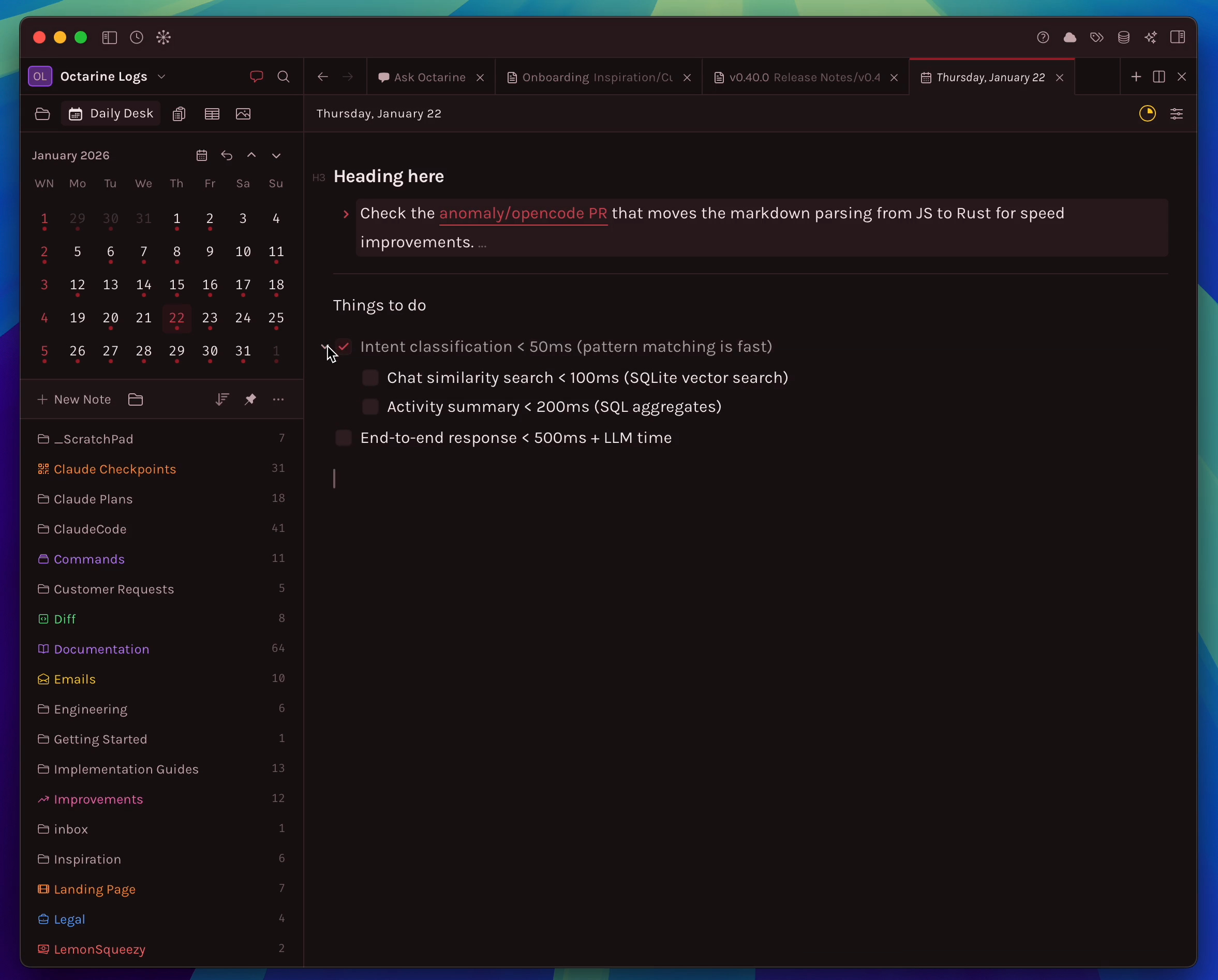
Octarine continues to ship at an impressive pace. Two releases in two days is not bad at all.
Workflowy
Workflowy’s March update brought a nice addition: Email to Workflowy. You can now email thoughts, notes, or links straight to Workflowy without opening the app. You get a unique email address for key nodes like Today or Inbox.
The update also includes:
Themes for all users (not just Pro).
Further improvements to Calendar functionality.
Between the calendar sync from last time and now email capture, Workflowy is steadily adding useful input channels.
Appflowy
V 0.11.6 (April 1, 2026)
A maintenance release focused on stability:
Fixed notification refresh timing.
Fixed potential failure when importing Notion zip files.
Fixed potential data corruption issue for documents.
The release also includes multi-step redo and undo support and Google Calendar integration improvements.
Heptabase
AI Tutor
The AI Tutor Heptabase has been building is officially in public beta!
Goal-Oriented Curriculum: Simply state your learning goal (e.g., study Western philosophy, understand international politics, pass the bar exam, or achieve financial freedom), and the AI Tutor will design a personalized syllabus tailored to your level and needs.
Systematic & Personalized Learning: Instead of trying to figure out what question to ask, the AI Tutor guides you. It provides step-by-step reading materials—allowing you to highlight important content and ask questions about anything you don’t understand—then tests your understanding and dynamically adapts to your learning style and pace over time.
Seamless Note-taking Integration: Your highlights, notes, and Q&A sessions are automatically organized onto dedicated whiteboards and converted into clean review notes. You have the best note-taking experience in the world available to you while learning with AI!
In the latest version, you can export the whiteboard as an image!
Noteey
The new version V1.54.0 is now available for download V1.54.0 changelog New Features and Improvements:
Bidirectional mind mapping
Support for opening images, PDFs, and videos with default apps
License activation guidance for signed-out users
Increased the card limit for free users from 100 to 200
Orca Note
Orca Notes has been very active with four releases in the past two weeks. For those not familiar, Orca Notes is an open-source note-taking app that is designed to be good for both outlining and long-form writing — a combination that is not easy to get right.
Exported Markdown now includes related resource files.
Query results are grouped by day when filtering with date-type properties.
Bug fixes.
That’s all for this week. Thank you very much in advance for reading and I look forward to bringing you more PKM news next week.