Hi Everyone,
We are back with another episode of PKM Weekly. Let’s see what is in store for us today.
Obsidian
I Built an AI Employee That ACTUALLY Works For Me (Opus 4.5 + Obsidian)
Mike shares: I run my entire life out of Obsidian, and in this video, I’m giving my annual “Obsidian review” of what I believe is the best note-taking app on the planet. It’s not all puppies and rainbows, though, and this year, the grading is informed by a survey from the Obsidian community to show you where Obsidian really shines and where it has work to do.
Obsidian Web Clipper
The Obsidian website now supports four languages, and you can help us improve the translations here: https://github.com/obsidianmd/obsidian-translations
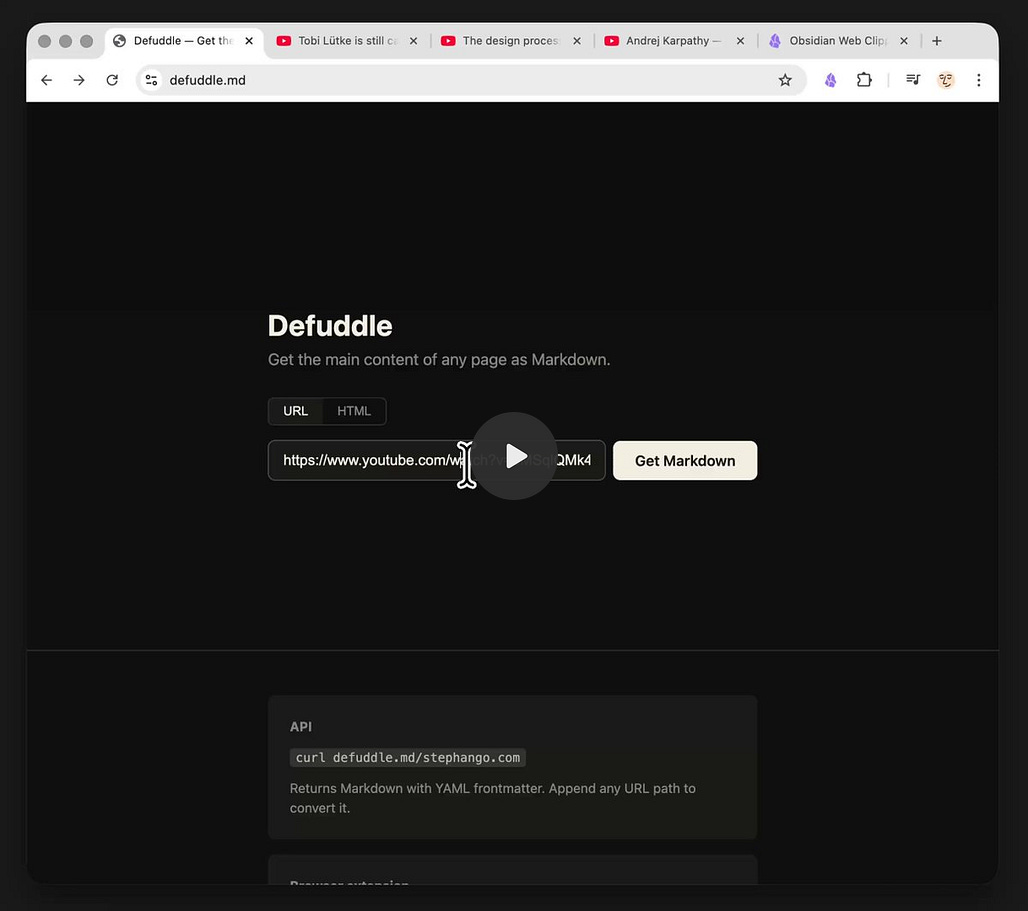
Talking of the obsidian Web Clipper, check out Defuddle (Get the main content of any page as Markdown), developed by Kepano:

OpenClaw and Obsidian with TaskNotes MCP
The video shows how I use OpenClaw with Obsidian as a productivity-focused personal assistant, communicating through Discord with my bot (“Jenn”) that can read and edit markdown files, tasks, habits, and calendar data via the TaskNotes MCP server and Obsidian CLI. I explain the setup and plugins, then demonstrate my scheduled routines (morning agenda, progress check-ins, end-of-day report with scoring and reflection prompts, and a weekly Sunday summary) delivered automatically.
Interesting Reddit Posts
I feel a bit like a spy using Obsidian - In the beggining I felt like if I was being manipulative, but I just discovered it creates something like empathy. It's a bit of an art because you can’t pull your data out of nowhere, “oh yeah, I recall you had this Siberian dog...”. You must know when to use it, and believe it or not, it demands that you start taking somehow care about the other person
Favourite unusual use for Obsidian? If you have a weird way of using Obsidian, what is it?
For those who switched from Evernote to Obsidian - After 15 years, I think I am officially going to be priced out of Evernote soon (4 months left on my current plan), so I have been exploring. I have tried out Amplenotes, Notion, Joplin, and now Obsidian.
Thymer
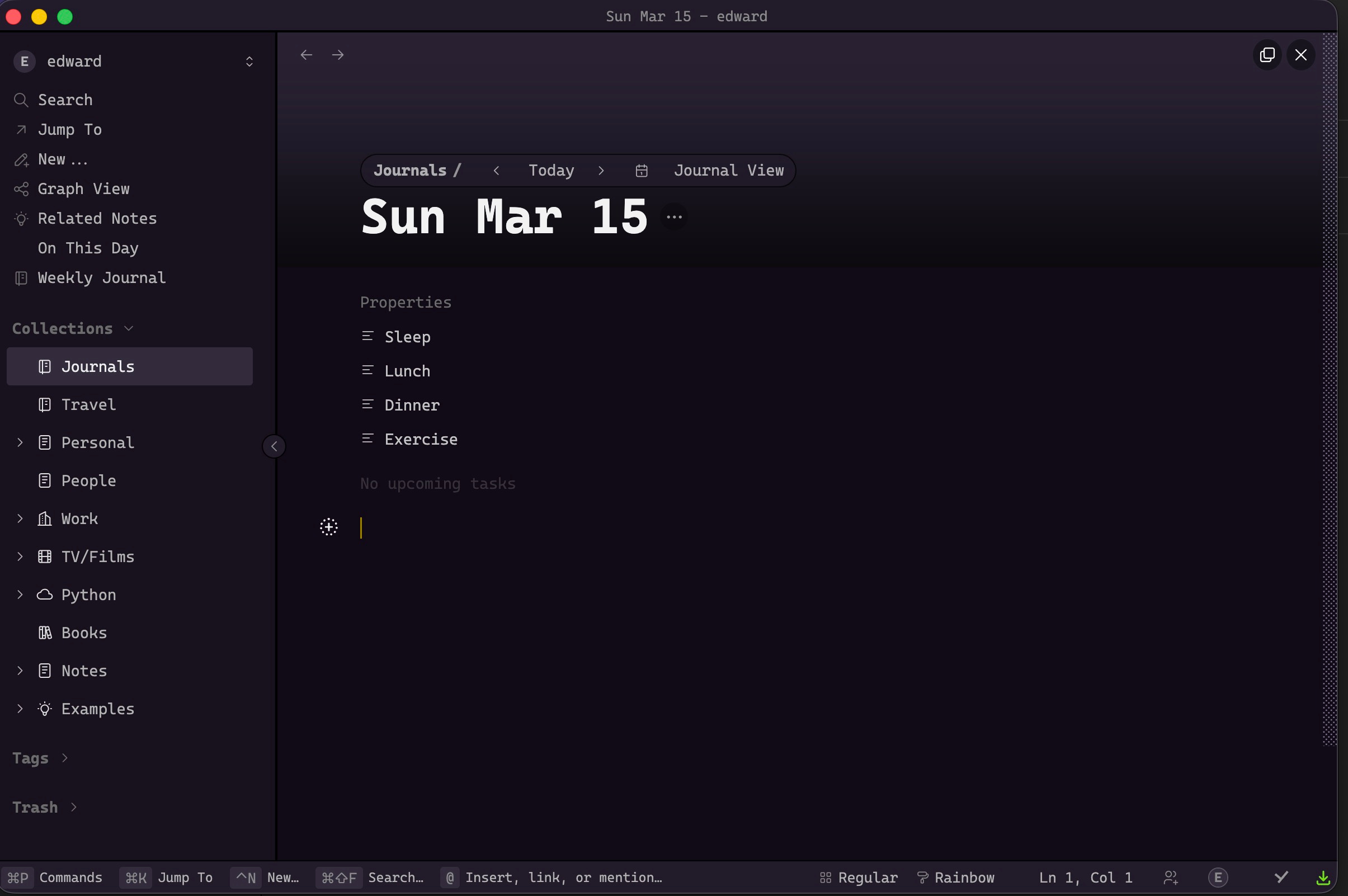
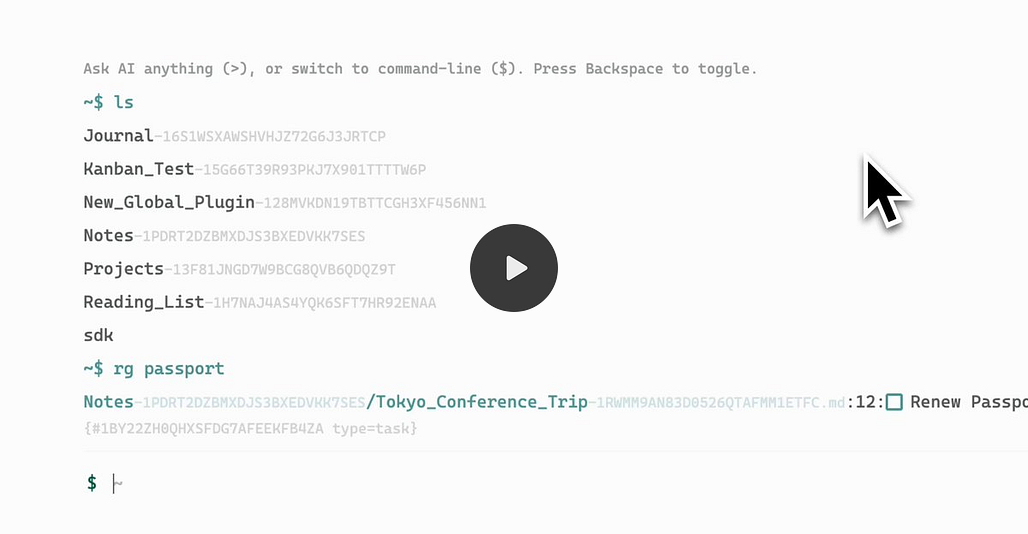
Desktop App Released
The devs have just released a desktop app of Thymer - available for macOS, Windows and Linux. Feels like the Beta release is getting closed.
Possibilities of Thymer

Join the unofficial Discord for discussions and insights.
Capacities
Updates
Indexing bug for backlinks, tags, search, and calendars is fixed. Please wait a few seconds after you download the latest version.
Tabs Rework
Working with multiple tabs is now easier than ever - we added scroll buttons to navigate through tabs when many are open, as well as a new tabs menu to easily switch context.
The tabs menu appears when there are multiple open tabs in a space, featuring tab search, re-ordering (by dragging) and fast closing of tabs as well as changing the current tab. It can either be accessed via the mouse or its global shortcut: ⌘/Ctrl + ⇧ + ↑.
TANA
Tana - New AI Models
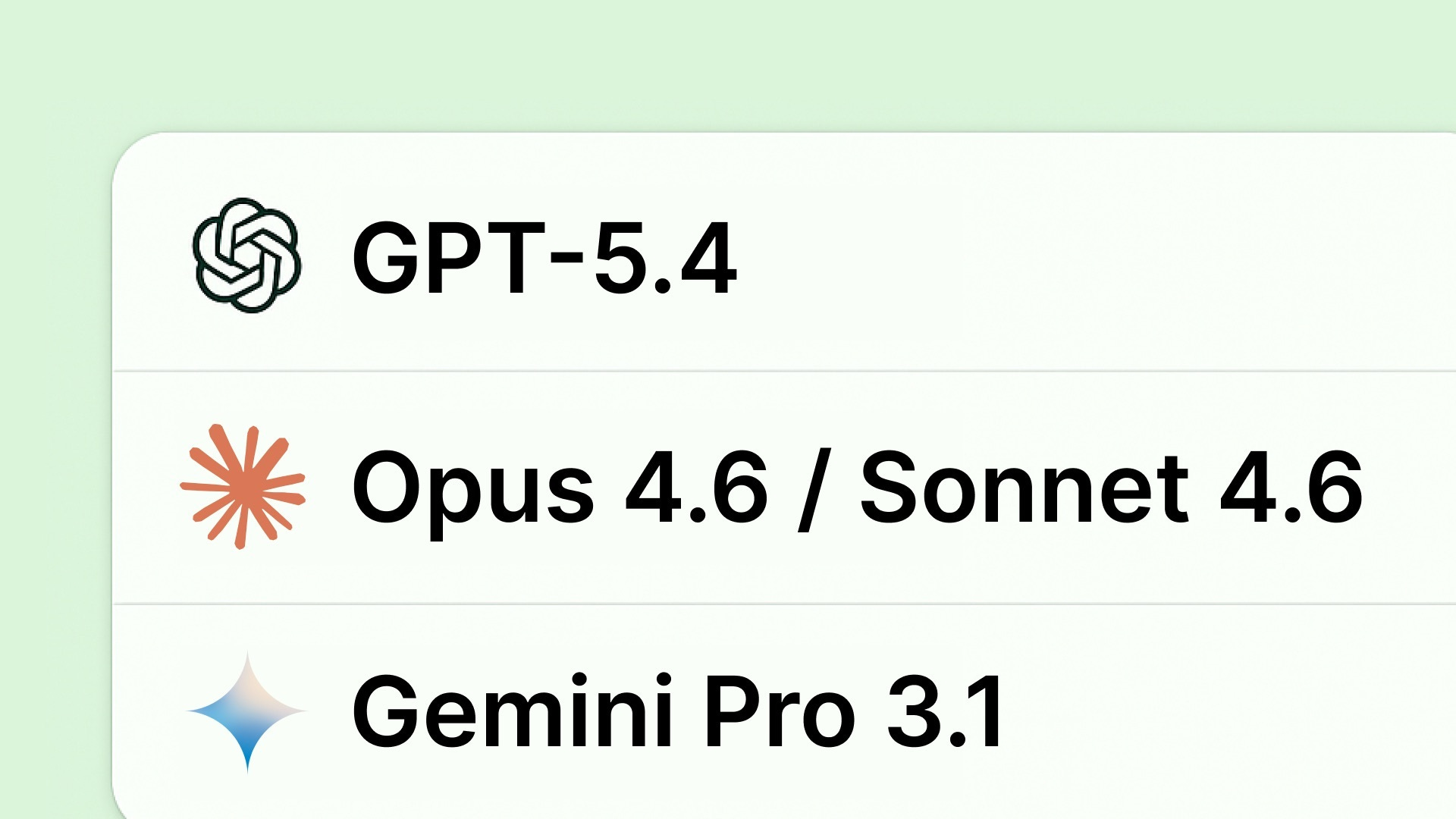
There’s been some new models dropping lately, and we’re now making them available in Tana:
Systems Lab #4: Agent Delegation
Thus far this season, we’ve looked at using MCP to help design your Tana system and to drive it (capture into it). In this next session, we’re moving one step further downstream: how to automatically sort incoming content into the right context and hand it to the right agent to do something useful with it.
We’ll focus on two skills:
Route: capture anything to a single inbox and categorise it into the right place.
React: have an agent or subagent take action on that content, given its specific context.
When: Wednesday March 18th at 8pm PST
Where: Google Meet (sign up here: https://luma.com/1b6he5gl)
Logseq
Logseq in Obsidian, solved! Maximum text on tiny window!
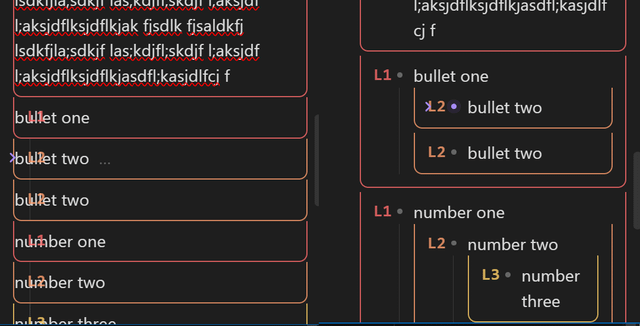
OP posted a bit of a solution to working with Logseq and Obsidian side by side - This enables Logseq’s infinite nesting by using “indent distance” line numbers on the side with colours for ease of use. The zoom plugin focus’ on one “indent distance” without indent space squishing the text right with the bonus of even more nesting on screen than Logseq, in Obsidian! Collapsing helps too.
I am afraid the above is really it from Logseq this week.
Appflowy
v0.11.4 is out. This release includes many exciting database features.
New database features available on the desktop app:
Chart view: Create bar, line, and donut charts directly from databases to turn raw data into visual insights.
Enjoy unlimited vertical bar charts on the free plan, and all chart types for Pro users!
Feed view: View your database entries in a continuous stream, making it easier to scroll through and catch up on updates.
Non-database features:
Google Drive Embeds: Embed Google Drive files directly into your pages for a more connected and seamless workflow.
Revamped Slash Menu: A redesigned / command menu with an improved layout to help you find tools faster.
Web Bookmark Block: Use /book to turn URLs into visual cards with site titles, descriptions, and thumbnails.
New @SELF-HOST updates and video tutorial:
Self-hosted admin (/console): Configure your LLM providers via the GUI
Video tutorial: Self-hosted Inviting Guest Editors link
Upcoming releases:
Database row page can be mentioned, shared, favorited, and linked
AI Meeting Notes with Google Calendar
AI Transcription using a YouTube link
Document Page Version History
AI mini chat in the document with web search
Document page comments
Octarine
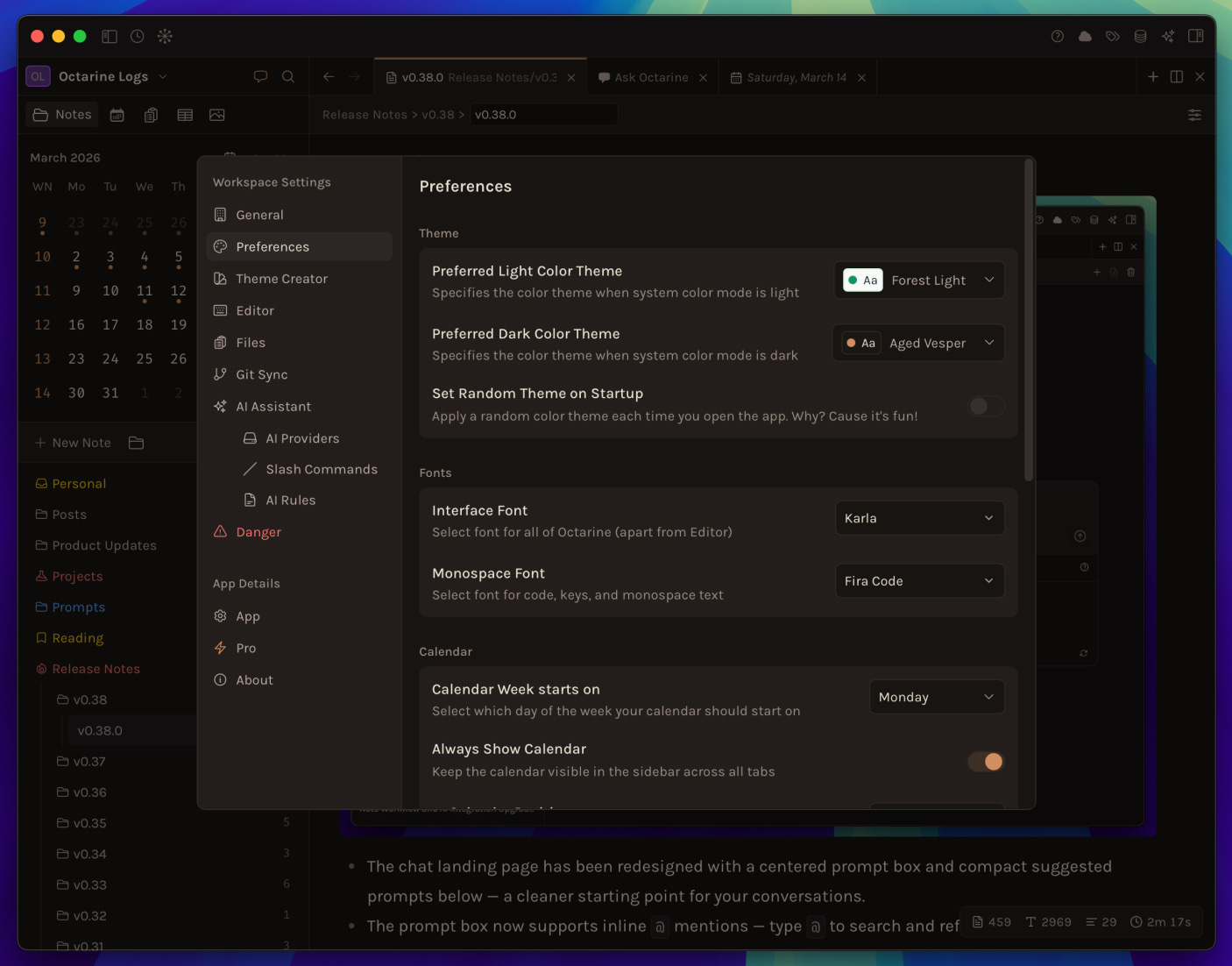
v0.38.0 out now! Read in detail at https://octarine.app/changelog/0.38.0 \
Ask Octarine
The chat landing page has been redesigned with a centered prompt box and compact suggested prompts below — a cleaner starting point for your conversations.
The prompt box now supports inline
@mentions — type@to search and reference specific notes or folders directly in your prompt, with styled mention chips that appear in both the input and the chat query bubble.The
Ask / Createtoggle has been removed. Octarine now intelligently determines the appropriate action for each query without requiring a mode switch.
Editor
Select text and type a bracket or quote character (
(,[,{,",',backslash) to automatically wrap the selection with the matching pair. This can be toggled inSettings > Editor.Toggle task checkboxes on and off with
Ctrl/CMD + Enter— no need to click the checkbox.
Performance
Switching between notes and tabs no longer causes the properties panel to flicker — the panel now updates in place instead of fully unmounting and remounting.
Splitting or moving tabs is now instant — pane cleanup runs synchronously, eliminating empty tab bars and zombie panes that could briefly appear.
and other improvements and fixes.
Craft
Stay on Top of Your Tasks with One Prompt
In this video, we show how the Craft Assistant can help you reset your week in a single prompt by collecting open tasks from your daily notes, moving them to next week, and setting a clear deadline.
Instead of reviewing each daily note and updating tasks one by one, the assistant can handle the entire update automatically.
Move open tasks from last week to the next week
Set deadlines for better weekly planning
Keep your task list organised without manual cleanup
This example is just one way to manage tasks with the Craft Assistant.
RemNote
V 1.24.3
Learn PDF: Polished quiz screens with improved layouts, better responsiveness, and dark mode fixes across the guided learning experience.
Menus: Improved the slash command panel so the right side can extend beyond the left panel height, making more content visible.
Advanced Tables: Fixed content briefly flashing in the editor when creating a table property and pasting content.
Edit Later: Fixed auto-focus stealing your cursor when you had manually focused on the editor.
And lots more. Changelog.
RemNote are also looking for feedback on our Plugin Ecosystem. If you would like to pitch in, please visit this thread: Plugin Ecosystem Pain Points in Discord.
Heptabase
Web Card - with a single click, you can save those websites as Web Cards. This allows you to view them fully offline, search them across your knowledge base, and place them on your whiteboards to connect them with your notes.
Web Cards are still in the early stages, and we plan to make many improvements over time. Here are the four major updates we have planned:
Support clipping websites as Web Cards using our web clipper
Support highlighting and annotating Web Cards
Sync Zotero web snapshots into Heptabase as Web Cards
Allow AI to generate Web Cards on demand based on your needs
Supernotes
Supernotes 3.2.2 is out now!
Localisation support (Early Access)
See active card in MapsDrag & Drop support in Tables
Plus, many bug fixes and improvements.
Read the details → supernotes.app/changelog
Wispr Flow
I have recently started using Wispr Flow and thought to share my invite link for anyone else who wants to try it out:
Quid-pro-quo for sure:
They sign up and get a free month of Pro!
You get a free month when they dictate 2,000 words!
That’s all for this week. Thank you very much in advance for reading and I look forward to bringing you more PKM news next week.