Hi Everyone,
We are back with another episode of PKM Weekly. Let’s see what is in store for us today.
It's a bit of a short and sweet one this week, as a bit too much going on.
Obsidian
I’m so f***ing tired of Obsidian.
Theo posted his long-awaited Obsidian Video - “I'm sorry guys, I'm not using Obsidian, stop asking”
The longer I use Obsidian, the better my experience with this note-taking app
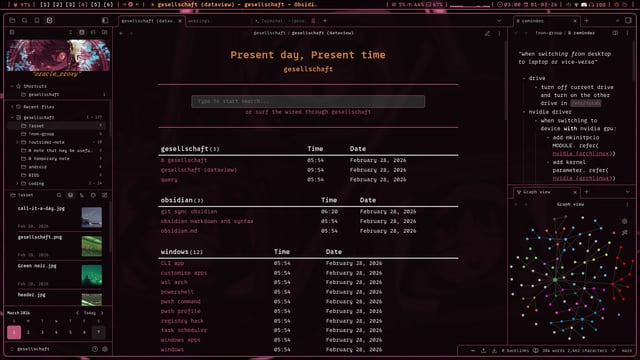
OP Posted: I started using Obsidian like a year ago and the more I used the advance it become and I “made it” that way.
As someone who loves ricing, their OSes don’t matter; what OS could be Windows, but right now I’m rocking Arch Linux. Obsidian is the perfect note-taking app for me. also I found there’s a terminal extension which is pretty cool
Obsidian With AI:
Couple new videos on integrating/using AI with your Obsidian vault:
Claude Code + Obsidian = UNSTOPPABLE - In this video I walk through what Obsidian actually is, explain the symbiotic relationship between Obsidian, Claude Code, and you — and why that combo gives Claude persistent memory across sessions for free. Then I show you how to set it up and talk through real use cases, starting with the personal assistant workflow that gets the most value out of it.
AI Tools inside Obsidian — Which One is Right for You? - Today I’m showing you two ways to run AI Tools inside your Obsidian vault. The AI Tools plugin — right inside Obsidian and Claude Code running in VS Code. These AI tools look similar on the surface, but they work differently, cost differently, and suit different people.
Thymer
Possibilities
blending docs + terminal + AI, so users and agents can run commands on notes. local-first + your own ai keys. a multiplayer notes IDE needs a terminal >_
https://x.com/wcools/status/2029601654601859530?s=20
Join the unofficial Discord for more.
Capacities
New update
Together with major performance improvements, Capacities launched a much-improved AI chat today. It allows you to add multiple notes for context and can search and read related notes based on backlinks and search. It will also display sources and links to notes it has found.
You can read all about it - release notes.
TANA
Tana Updates
Global Clipper for desktop - capture from anywhere with Cmd/Ctrl+Shift+Space (customizable). Quick modal overlay lets you paste content, apply supertags, set fields, and use @mentions without leaving your current app. Captures send to Today page automatically.
Fixed PARENT.field search expressions only matching first value in multi-value fields. Search now correctly matches against all values in the field.
Added new move_node tool to local API/MCP to programmatically move a node to any parent. Includes option to leave a reference when moving.
Added user preference to collapse references section by default. Enable via command line to keep references collapsed when opening nodes instead of auto-expanding. Cmd/ctrl + K -> Collapse/expand references section by default.
and more - changelog
Logseq
Coming from Notion, need advice on how to set up Logseq for my needs.
Op asks:
Hello, as the title says, I used to use Notion for PKM + Task Management + Habit tracking + and a few other things. However, I decided to go down the privacy rabbit hole and ditched the proprietary app notion for a privacy-friendly alternative, and my search ended up taking me to Logseq. Now, I decided to try to use and understand it before making this post, and gotta say I loved the default Journal and whiteboard feature, never knew I needed those so much.
I’m learning a lot of different things (Python, accounting software, Linux and more), and I like to keep the resources, references for things like shortcuts and stuff and topic-based notes. I’m used to notions folders-based structure - <Active Goals - Goal Name(Python) - Resources, notes, references, development tools>. How do I go from this structure to a flow that makes sense in Logseq, is easy to navigate through, frictionless and not overwhelming? I’d really appreciate any advice I can get for this. Any extra advice/tips/techniques are also appreciated.
Octarine
v0.37.2 out now! https://octarine.app/changelog/0.37.2
Views
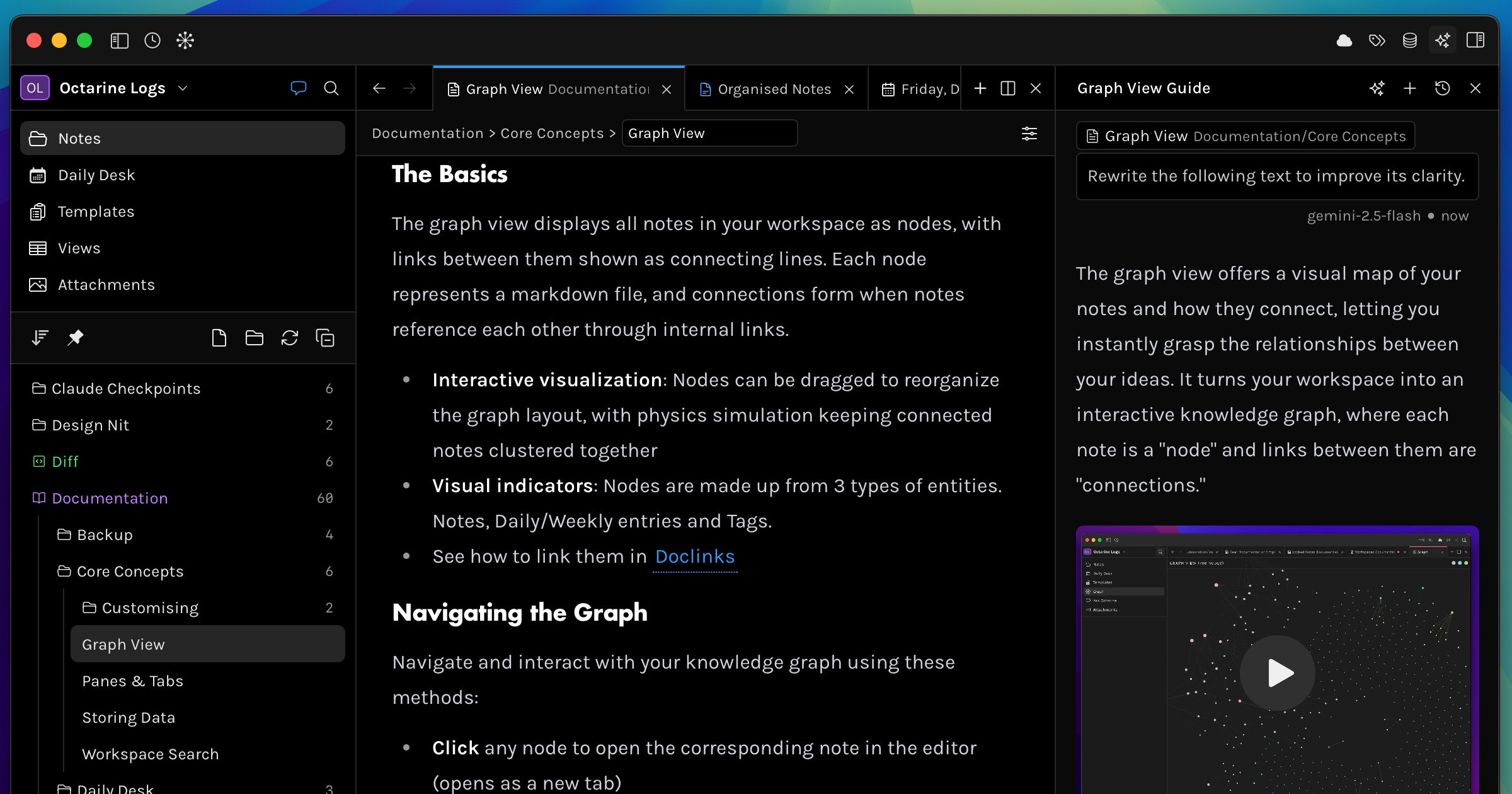
Redesigned the header to include a settings popover, which now houses grouping, group sorting, column selection, and the layout selector.
Added support for displaying views as either a Table or a Kanban board (Kanban is only available when a grouping is applied).
You can now search within a view (
CMD/Ctrl + F) to find any matching values across all cells and columns.When navigating through a view via the preview sheet, the corresponding row is highlighted in the background, and the table or Kanban view automatically scrolls to keep you in the correct location upon exiting the preview.
DocLink Sheets
Clicking a doclink (or any linked note in the properties / metasidebar) now opens the linked note in an inline preview sheet — you can read the full note, its properties, and document stats without navigating away from your current note.
Graph
Legend items in the graph view are now clickable — click to show or hide specific node types, making it easier to focus on the connections that matter.
Performance
Significantly reduced idle CPU usage — previously the app could use ~90% CPU when idle due to cascading file watcher events and unnecessary database writes. Now uses event-driven file watching and skips redundant writes.
Upto 2x faster startup time.
RemNote
RemNote 1.24 - AI Tutor “Learn PDF” Mode
RemNote 1.24 introduces a powerful AI Tutor “Learn PDF” mode. We think it’s the fastest and least stressful way to learn any topic.
We’ve taken RemNote’s core features (notes, flashcards, quizzes, summaries, tables, PDFs, etc.) and unified them into a guided experience. The AI Tutor will walk you through step by step, and get you to 100% mastery by the end.
Upload any PDF, and the AI Tutor will immediately organise your PDF into sections of key topics. For each section, get high-quality flashcards, quizzes, summaries, study guides, interactive tutor questions, and more.
Heptabase
March 5, 2026
Introduce a new subscription plan, ‘Premium+’, for users with higher AI usage.
Double the AI credits for all Premium plan users.
Fix the issue that some cells in tag table view could be broken.
Fix an issue where AI-suggested cards weren’t loading in the Card Library right sidebar.
March 3, 2026
Able to export a whiteboard as an image from the whiteboard menu. (If it exceeds the size limits, only the central square area will be exported.)
Enable all card types in the Card Library filter by default, and the selected filter state will now be preserved.
Fix an issue where some mermaid codes weren’t displaying correctly.
Fix an issue where some users couldn’t export content.
Fix an issue where images could be lost when performing certain operations on the whiteboard.
Fix an issue where Shift + Enter didn’t escape a code block.
More here - changelog
Noteey
The new version is now available for download
A more powerful tag database, enhanced cards, improved canvas connectors, plus 20+ bug fixes. Steady progress, keep it rolling! V1.48.0 changelog New Features and Improvements:
Tag Database Enhancements
Table view now supports adding plain text rows
Export the database to Excel or import data from Excel
Remove multiple selected items from the current database without deleting them from the card library
Card Improvements
Set custom font sizes for card text
Improved code block styling
Canvas Improvements
Cards on the canvas now support block-level actions, such as copying block links and moving blocks
Connector lines now support customizable arrow styles
Bug Fixes
That’s all for this week. Thank you very much in advance for reading and I look forward to bringing you more PKM news next week.