Hi Everyone,
We are back with another episode of PKM Weekly. Let’s see what is in store for us today.
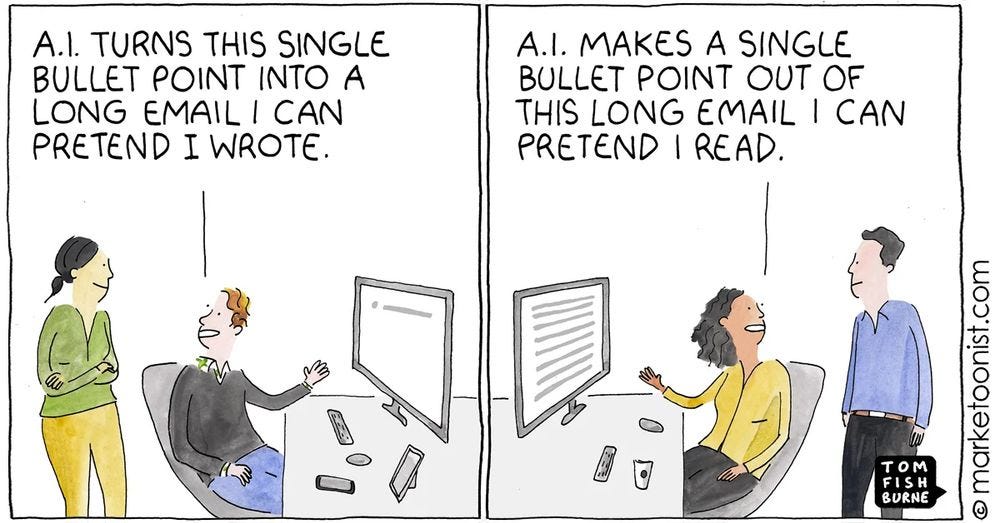
A bit of fun for this week:
Obsidian
Obsidian 1.12
Obsidian 1.12 is now available to everyone!
Obsidian CLI
Bases search
Image resizing
Automatically clean up unused images
Better copy/paste into rich text apps like Google Docs
Native iOS share sheet
Obsidian Headless Sync
Obsidian Sync now supports headless operation using the obsidian-headless client. Learn more about how use Obsidian Headless with Sync.
Obsidian Sync offers a headless client to sync vaults without using the desktop app. Useful for CI pipelines, agents, and automated workflows. Sync the latest changes or keep files continuously up to date.
How I Use Obsidian + Claude Code to Run My Life
Greg Isenberg sat down with Vin (Internet Vin) for a deep, hands-on walkthrough of how he uses Obsidian and Claude Code together as a thinking partner, idea generator, and personal operating system. Vin demonstrates live how Claude Code can read, reference, and surface patterns across an entire Obsidian vault of interlinked markdown files — turning years of personal notes into actionable insights, project ideas, and even custom commands. This episode covers everything from the basic setup to advanced workflows like tracing how ideas evolve over time, generating contextual startup ideas, and delegating tasks to autonomous agents. If you are serious about getting the most out of LLMs, this is the episode that shows you how your own writing becomes the fuel.
Interesting Reddit Posts
Just started using Syncthing with Obsidian and it is a game-changer! - Synthing being able to sync notes in the background greatly speeds up Obsidian compared to Obsidian Sync when switching between devices regularly
Obsidian Homepage - I'd like to share how I set up my homepage in Obsidian.
Thymer
IDE but for notes and tasks
Turns out the “IDE but for notes and tasks” is also becoming my... IDE!
More and more, I just make notes and boards with specs of what needs to be built, connect a bunch of code agents to Thymer, all working in parallel, have them pick up open tasks, build it and update progress back in the notes.
https://x.com/wcools/status/2027056219626610786?s=20
Core vs Plugins
This Reddit comment, I was really looking forward to Thymer because it seemed like it was going to be perfect, but with all the testers fixing everything to their particular spec, now it just seems like it’s going to be an Obsidian clone, an overloaded mess. generated quite a bit of discussion in Discord on the whole Core vs Plugins philosophy.
Batteries included vs not was mentioned
“Perfect” app - tricky to define perfect
Ability to use the app without a (paid) 3 hour workshop like other apps.
Check it out in Discord.
Capacities
v1.58.71 (2026-02-26)
New Capacities Docs
We’ve launched updated documentation for Capacities with improved search and a cleaner, more modern layout. You can explore it here: docs.capacities.io.
Behaviour Change: Small Card View Customisation
The option to adjust the card view of an object type via the object menu has been removed. This setting is now only available in the object type settings, which can also be quickly accessed via the object menu.
We are considering bringing the option back for queries in the future, so that card views can be customised for each query individually. However, this is more likely to happen mid- to long-term.
Other Improvements
Command palette: Object types are ranked better, and filters for object types match more
Describe Capacities
The Capacities team have a different type of question for us and one they are curious to hear our answers on:
How would you explain Capacities to friends at a party?
TANA
Week 3 MCP Competition Winner
Kavia built a system to let your agents pass through Auth gates in browser and interact with your logged-in content.
I’ve built the Resource Traversal MCP. It’s a universal bridge that gives your AI co-pilot your "digital eyes and keys." Instead of fighting with restricted or non-existent APIs, it uses Native Chromium Stealth Architecture to inherit your actual browser permissions. Everything is local-first, zero-cloud, and hardware-encrypted via your OS Keychain. Your identity stays with you.
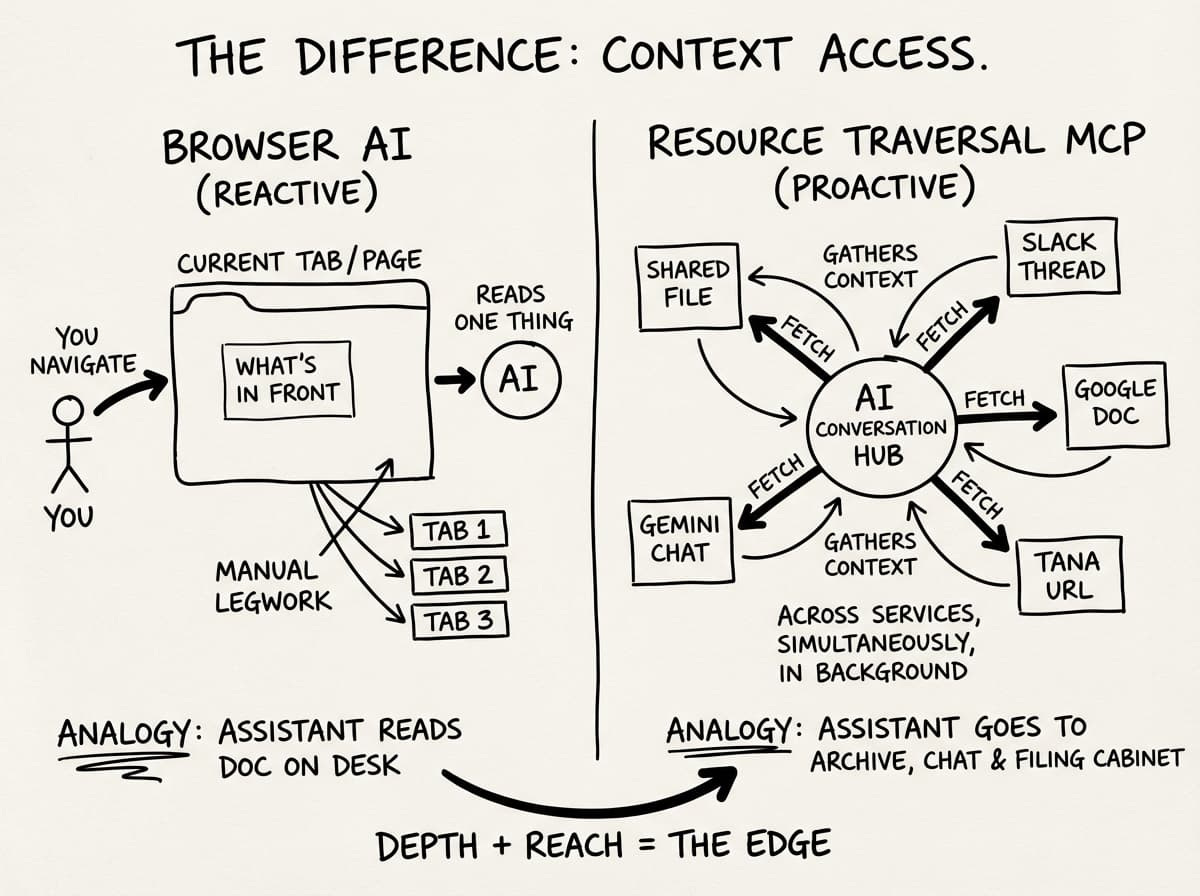
https://tana.pub/Btyja2RHIJiq/resource-traversal-mcp
Tana’s AI and MCP
Another round of community drop-ins focused on Tana’s AI and MCP features. Great response to last sessions! Bring your questions, share what you’re building, or just come hang out and learn from others.
Strategic Nick is hosting again next week:
Tuesday, 1pm PST - sign up here
Thursday, 1pm EST - sign up here
No prep required, just show up and dive in.
If you can’t make them, try Ev Chapman’s beginner drop-in sessions which also continue to run twice a week - https://luma.com/tanadropin
Logseq
Sandbox Code Agents
New PR on Logseq but it seems will be limited to the devs usage - Notice: it's mainly for Logseq team to use Logseq to develop Logseq.
Essentially, it adds infrastructure for running AI coding agents (like OpenAI's Codex) inside isolated sandbox environments, allowing the agents to autonomously perform coding tasks
Interesting to see if they open this up for those that want more AI integration with Logseq.
Octarine
v0.37.0 out now. https://octarine.app/changelog/0.37.0
Views
Notes can now be previewed directly within Views. Click any row to open an inline sheet showing a read-only preview of the note, its properties, and document stats—all without leaving the View.
Use keyboard shortcuts
jandk(or the up/down arrow buttons) to navigate between notes in the preview sheet, making it quick and easy to scan through your data.Groups can now be sorted in ascending or descending order using a toggle in the View header.
Checkbox filters now combine “No value” with
Nointo a single filter option.
Custom AI Providers
Connect unlimited custom AI providers using any OpenAI or Anthropic-compatible endpoint.
Default New Folder
Designate a default folder where all new notes will be created when you use
CMD/Ctrl + N, theCMD/Ctrl + Kquick menu, or theNew Notebutton in the sidebar.This does not apply to new folders or when creating a note through a folder’s context menu.
Noteey
Good news for the YouTube video note taker of Noteey:
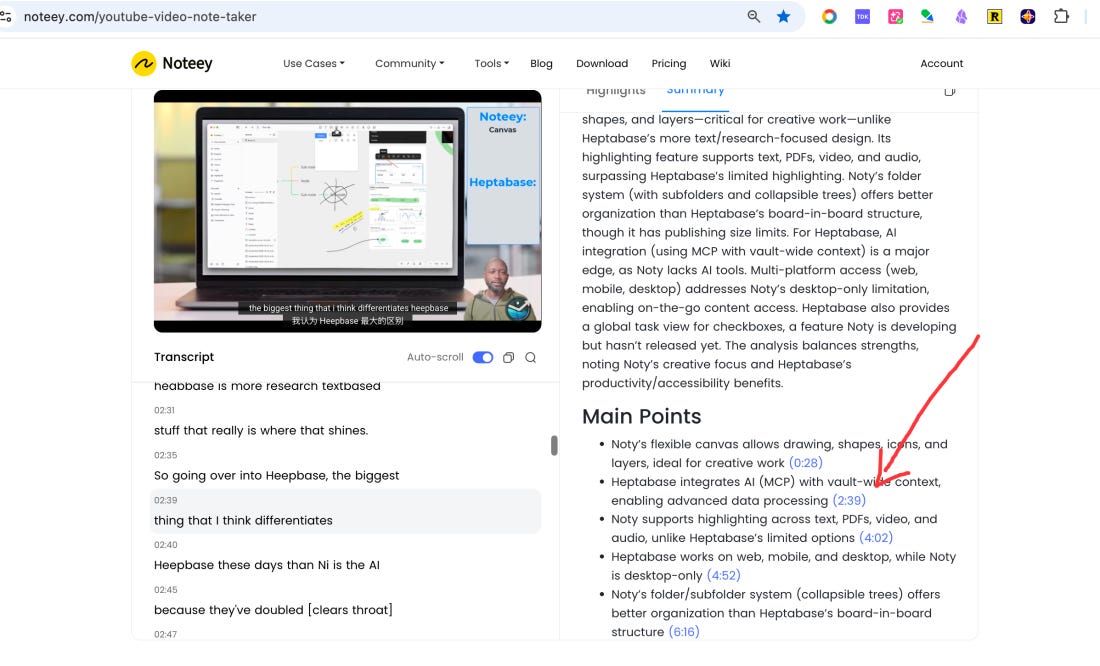
New feature available: On the website, we added a timestamped link in the ‘Main points’ in the summary section(Click it will seek the current video to the timestamp), which will help us to understand the video much more quickly.
We plan to integrate the YouTube transcript generator and AI Summary feature from the website to the Desktop app in March.

Heptabase
Zotero integration!
You can now connect your Zotero account and choose the specific collections you want to sync. Once connected, Heptabase will import all items from those collections into your space as source cards, which contain item metadata, PDF attachments, notes, and highlights.
This feature is currently in beta, and we’ll continue improving it over time. We’re planning to add the ability to place source cards directly on the whiteboard, generate citations from them during writing, and even let an AI research agent assist you with research across everything you’ve imported. To help us prioritize, please share your feedback through our in-app support.
For more information, check out this document
Griply
New walkthrough showing how to use Griply as a full daily planning system for both work and life. Goal-driven tasks that move your goals forward
Project and work tasks (including using goals as project containers)
Operational life tasks like errands and admin
Also walk through the daily/weekly flow:
Quick capture with Ctrl + Space
Processing your Inbox
Weekly planning with calendar
Using tags like Admin for focus
If you’re refining your setup, this might give you some ideas. You can watch it here:
Zettlr
This update brings three distinct sets of improvements.
First, it contains a series of new features for the preview mode, which make blockquotes now render with a vertical bar instead of an italicised font. In addition, Pandoc divs and spans are now pre-rendered and apply any custom styling you have applied, if applicable.
It contains a bunch of minor bug fixes and improvements of some annoying behaviour so that the app works better for everyone. This also includes some big improvements of the Brazilian, Japanese, and German translations.
Last but not least, this update includes a fix for a bug introduced by the recent Zotero 8 update.
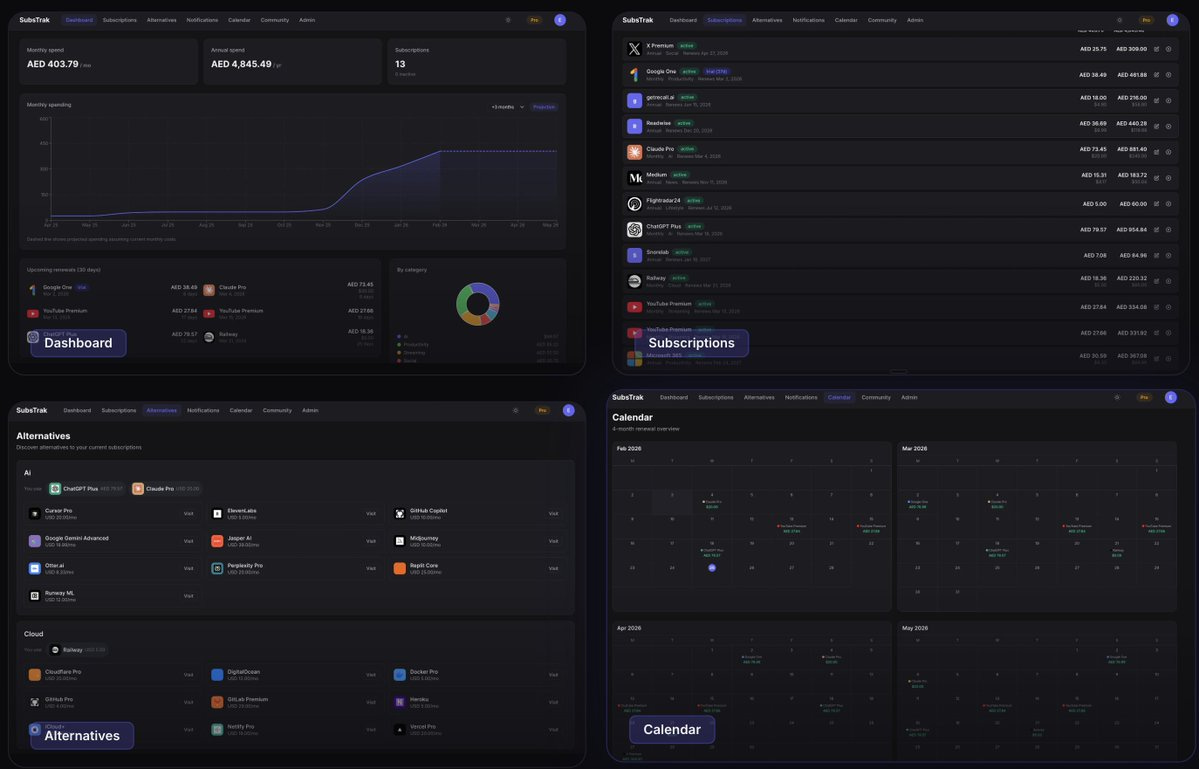
SubsTrak
Take Control of Your Subscriptions - Track spending, discover cheaper alternatives, and get renewal reminders
A bit of a shameless plug, but it's been a while since I've wanted to track how much I spend on subscriptions. With the help of AI, it was a lot more straightforward than I envisaged, so I wanted to share the app I created.
Check it out at https://substrak.io
That’s all for this week. Thank you very much in advance for reading, and I look forward to bringing you more PKM news next week.
Thanks for the update. I hadn’t seen obsidian headless sync before this. And congrats on the app launch.