Hi Everyone,
We are back with another episode of PKM Weekly. Let’s see what is in store for us today.
Thymer
Upcoming Release
New features are about to be/already implemented.
Time of day:
morning,afternoon,evening,night,noon,midnight,tonightkeywordsSearch:
created_byandmodified_byoperatorsSimple text search now matches page title as well as other page properties (except for Choice and a few others)
Keyboard navigation and shortcuts now work in read-only panels
Point-in-time rewind mechanic in yoursite.thymer.com/diag.html
Sort choices in dropdowns now respect the linked collection’s sidebar sort order
Sidebar collapse/expand remembers sidebar width
Mobile Sidebar
Related section for Collections
API and Bug fixes.
Thymer Task Collection Setup (simple collection)
In this video, Daniel shows a really simple way to set up a collection inside of Thymer:
Thymer Invites
The devs gave me a few invite codes to access the Alpha version:
https://thymer.com/alpha to sign up and get started.
THYMER-8JKBWHP5
THYMER-7GQ781VX
THYMER-M7V5D6BZ
THYMER-NGZ85F1C
THYMER-ZPDH4NHS
THYMER-6SJY2M0D
THYMER-NJCD2XQ0
THYMER-LCY5FJ96
For more chat about Thymer, please see the unofficial Discord.
Obsidian
V 1.11.6
A good few things have been improved and implemented in Obsidian (Catalyst) over the past week:
The help window and the vault chooser window have been updated to match the new design used in app settings.
Bases: Table cell menu now shows “Copy” and “Paste” menu items.
Settings: The sidebar no longer shows icons next to Community plugins.
And the mobile app has had some cosmetic changes:
New Appearance settings (enabled by default):
When full-screen mode is enabled, the phone’s status bar is now hidden when you scroll in a note.
New App actions (the menu when you press and hold on the app icon):
Vault switcher has a new option to “Open Vault in Restricted Mode.” This option opens the vault without activating any plugins. If your vault fails to open due to a plugin issue, use this option to troubleshoot.
My First 14 Days of Claude Code + Obsidian
As Construct By Dee is taking a similar path to me in exploring Obsidian and Claude Code, I thought his article, "My First 14 Days of Claude Code + Obsidian," was a valuable read, as it takes us through the setup and what has changed in his process and workflow.
On this note, also check out Theo’s post (pay-walled) on Claude Code x Obsidian: Time to Stop Ignoring AI in PKM?
Interesting Reddit Posts
Better way to track personal finances in Obsidian - I use Obsidian for basically everything in my life, notes, important details, personal systems, you name it. I also track my income, expenses, and savings in Obsidian.
My progress after 1 week of Obsidian - Aside from the canvas on slide 2, which was the original reason I found this software, most of my effort has gone into indexing all my notes from across many places: Google Docs/Sheets, old computer files, and other lists like my Steam library. There's still a lot to index, but that's something for another day lol
Capacities
January 2026
The first release of 2026, and it is a big one! With this update, the devs have completely rebuilt search from the ground up to be faster, smarter, and work entirely on our device.
The update includes:
A new fully local offline-first search engine with many improvements suggested here and on our feedback board
Aliases for pages and custom object types
Block-linking search
and much more.
Check out the video release notes or the changelog.
What’s Next
Capacities has released its latest What’s Next article. Includes:
CSV, Markdown and File Import
A Better AI Chat
Media types 2.0
Smart Context & Semantic Search
Connecting Capacities to Other Apps and AI Outside of Capacities
Some cool stuff is coming to Capacities.
Feedback Needed
The team are looking for users’ feedback - this time on the right sidebar:
Today, we'd like to ask you how you're using the right-hand side panel. Do you have any workflows or requirements? Are you coming up against any friction points or finding things that are missing, or things that are overkill
TANA
MCP
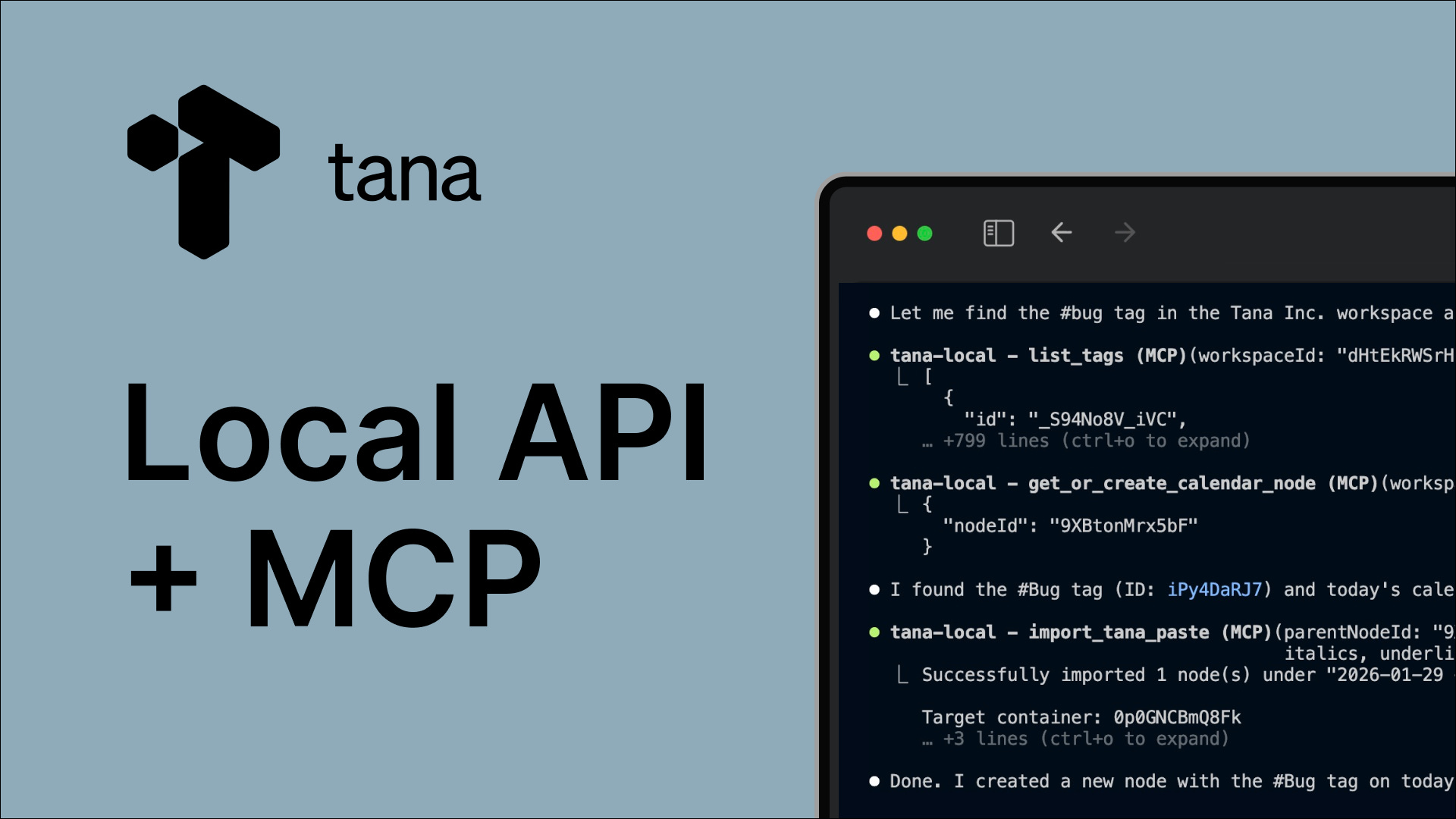
For those of you who work with Claude Code or similar, you can now set up a Local MCP of your Tana graph! Build websites from your voice chats or meeting summaries! Convert #ideas into prototypes!
The Blog post is here and takes you through the workflows it unlocks!
Documentation: https://tana.inc/docs/local-api-mcp
I think this is very impressive. From what I am reading, you need a Tana Pro account.
Voice Chat
Update to Voice Chat on iOS
Your voice chat on iOS could already chat with specific nodes, create custom Supertag instructions and more, but NOW:
Search the web!
See what is in your sidebar - your pinned nodes are available to your voice chat, whether or not you are chatting with those nodes specifically, or are using general voice chat!
Search your graph - text search your graph for other nodes!
Voice chat on Android
All Android Tanarians now have access to the Tana voice chat. Hurrah for the droid!
Tana Working Knowledge Session
4 weeks to get your knowledge working
The Tana team are trying something new in February: a space to work on a knowledge project in Tana. Research a topic, collect sources, and build your understanding. Whether you’re just getting started or years into your system.
What happens:
You bring your knowledge project
Weekly sessions where we share what’s working (and what’s not)
Coworking time to actually do the work together
Async discussion throughout the week
Two ways to join:
Explorers: Drop into sessions, share what you’re working on, learn from others.
Month-long practitioner (limited spots): Commit to one session/week, 4-10 hours on your project, and share what you learn. Sign-up survey here.
Working Knowledge Event Calendar
Logseq
Logseq + Claude Code: AI-Powered Database Management for PKM (.md Version)
Dario talks us through a bit of his AI-powered database management, using the .md version of Logseq.
Ever struggled with duplicates / messy data in your Logseq workspace? In this video, I show you how I’m using Claude Code (not Cowork - that’s unfortunately Mac only) to assist with cleanup tasks in my personal knowledge management system.
How are Logseq + Claude users planning to migrate to the DB version?
For those who liked Dario’s interaction between Logseq and Claude, but want to do the same in the DB version, op has your back in his post: I’m curious about how people here who use Logseq + Claude (or other LLMs) plan to handle the move to Logseq’s DB-based version.
Right now, one of the big advantages (at least for me) of the markdown-based graph is that Claude can directly read and edit .md files pretty easily.
Responses are - there is an MCP available.
Self-Hosted Sync
The branch is not merged to master yet; it still needs some tests before releasing it to all testers, but you can give it a try with the new sync:
The new sync supports both Cloudflare and local Node.js server https://github.com/logseq/logseq/pull/12315
Appflowy
v0.11.1 is out! This release includes many highly requested database features.
New database features available on the desktop app:
Gallery, list and chart views
Grouping in Grid: Group by allows you to organise database entries into collapsible sections based on property values (e.g., Status, Priority)
Multi-row actions in Grid (full-page): Allows for powerful multi-row (bulk) actions within databases to edit, delete, or duplicate entries at once
Database advanced filters: Useful when combining AND logic and OR logic in your filter
Number property new format: Comma-separated (e.g., 10,000)
Database Cover: Add a cover to beautify your database page
Non-database features available on the desktop app:
Export as PDF: Export a single page as a PDF
Mermaid diagram support: Add diagrams directly in Code blocks with split, preview, and code display modes, plus an expandable view
Top nav bar breadcrumb revamp: Refreshed design with improved layout
Document and database cover reposition: Reposition cover images for the best display
AI Transcript & Meeting Notes: Use the mention person type for task assignees in the action items of the AI summary
Upcoming releases:
Google Drive Embeds
Database Feed view and page comments
Create a database page with a pre-defined template
AI Meeting Notes auto-detect and start transcribing, and AI mini chat in the document with web search
Recurring reminders
Octarine
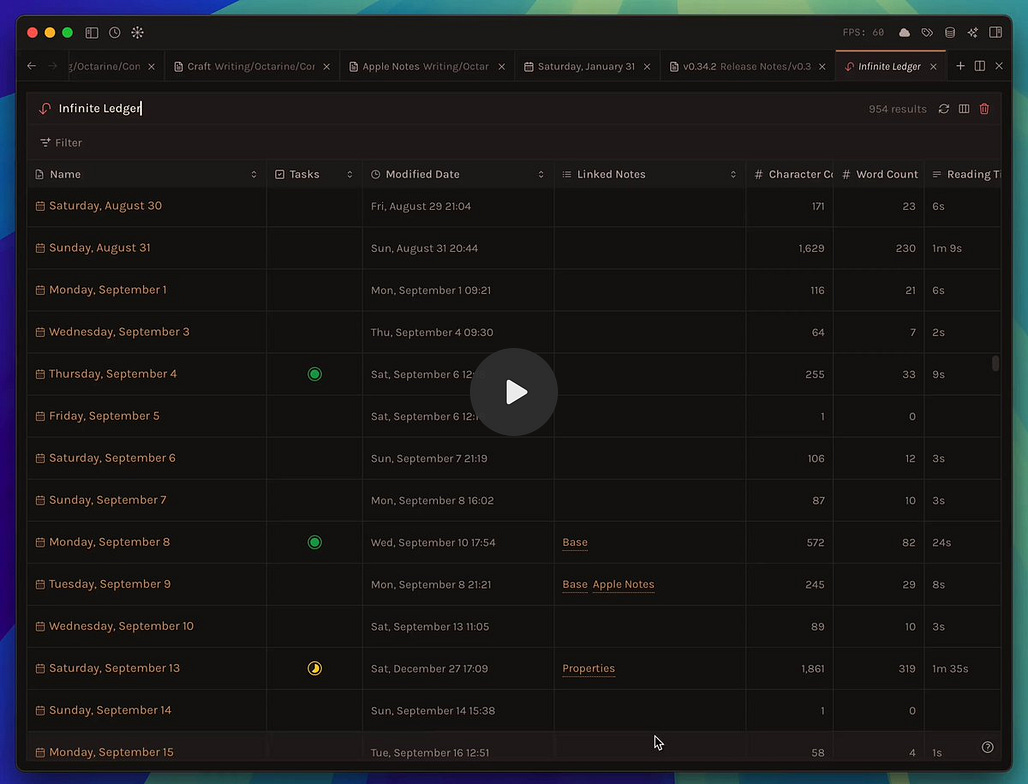
v0.34.1 out now! Improvements
When you’re editing or creating a theme, changes to the colour palette are recorded in a history. This allows you to undo specific colour adjustments without having to cancel your entire editing session.
A new
Settings → Editortoggle allows you to invert the copy shortcuts for formatting — choose whetherCMD/Ctrl + Cto copy plain text or formatted markdown.The rename selection now uses the mark background colour for better visual consistency with your theme.
Handle responses from theme generation models gracefully, even when they do not conform to the requested JSON schema.
Zooming in/out now also scales the editor text sizes as well.
and also -

Workflowy
There was quite a bit of chat on Reddit about users complaining about recent changes in how things are done in Workflowy. It appears that Workflowy has changed its policy for node quota.
Deleting a node, even a newly created one, will not update the limit. If I accidentally pasted 500 notes and then deleted them, it does not matter. My quota is still exhausted by those 500 nodes.
Constant prompt to subscribe to Pro on the main window
Some interesting discussions on this:
Many users are suggesting that, if the tool is worth it, upgrading is the way forward.
Craft
The Craft team have issued their first release of 2026.
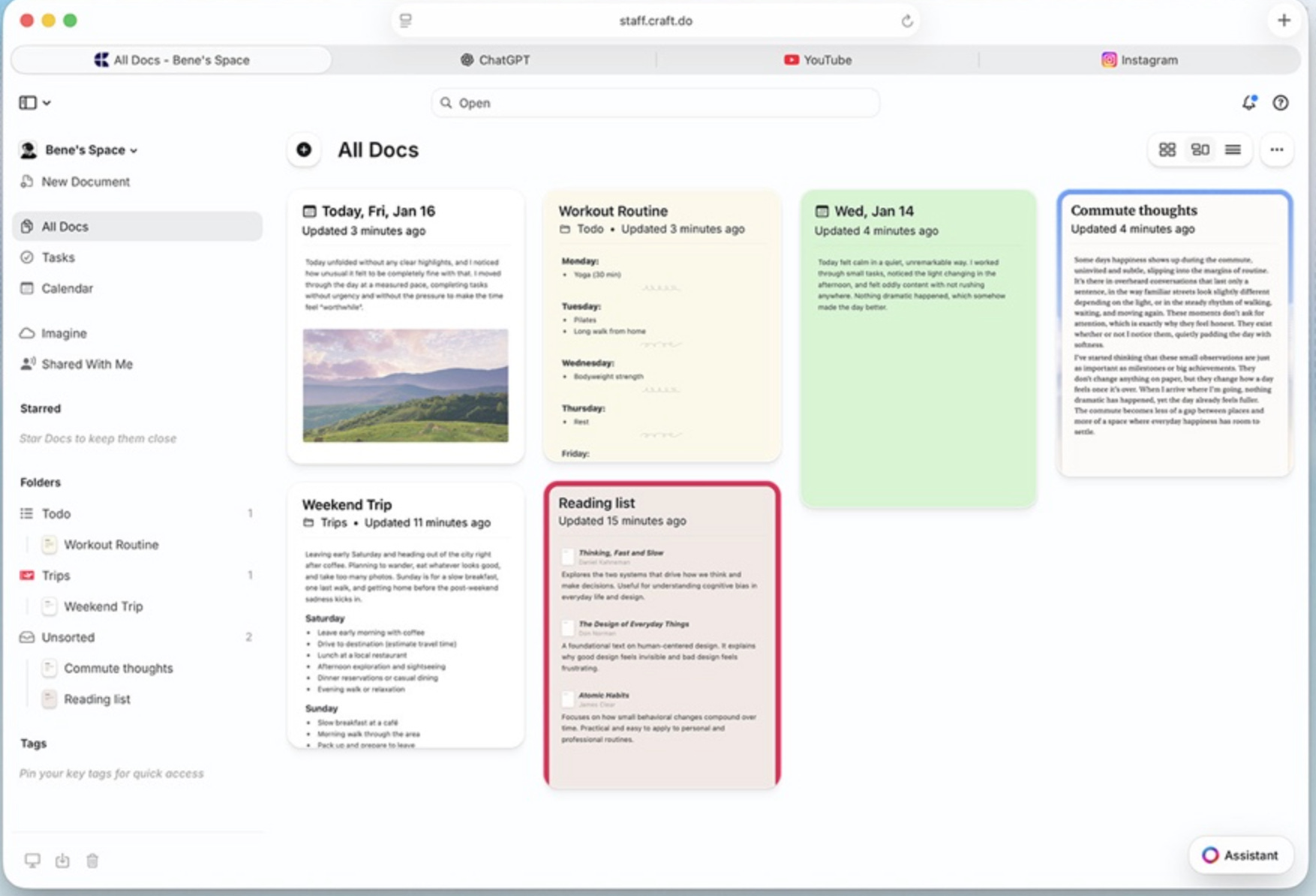
We’ve been heads-down working on broad UX and performance improvements across all platforms, with one clear goal in mind: delivering the best possible personal productivity experience. Things should feel faster, more stable, and more polished everywhere you use Craft. Alongside this foundation work, we’re finally shipping one of the most requested features on Windows.
And we’re also sharing something new, a little unexpected, but deeply important to Craft’s future. Something we built for ourselves, that’s already changing how we build Craft: Craft Agents.
A smoother, faster Craft everywhere
Tabs are here for Windows
Craft Agents
Download the latest version of the app: https://www.craft.do/download
Noteey
The new version V1.46.0 changelog is now available for download. The UI looks much better!
Comprehensive UI upgrade, much more beautiful.
Optimised project list page
Copy links from individual transcript lines
Rename weblinks
Remember connection line styles automatically
Refine canvas element borders
Add Japanese and German localisation
Images added to the canvas now default to square corners
And much more.
That’s all for this week. Thank you very much in advance for reading, and I look forward to bringing you more PKM news next week.
Capacities is SO up. Not sure what they are talking about with the workflowy update. I use the app daily as like a brain dumping grounds and scratchpad; I’m on their free plan and my limit says 1500 not 500 (but that could be because I’ve referred a lot of people the app) but even my current usage for the month is only 497 nodes and we’re on the last day.
It would be kind of interesting to see you cover more explorations of different PKM use cases leveraging different AI’s like Moltbot for example. More feedback could also be neat to hear a little about your flow at the end of these. What does Ed use to keep track of all these programs? >:)