Hi Everyone,
We are back with another episode of PKM Weekly. Let’s see what is in store for us today.
Thymer
Up Next / High-Level “upcoming” Roadmap
The rough road map for the next few weeks is
bug fixes
working through the most important smaller feature requests
quality of life improvements; sanding. the little things that are annoying and that people run into daily
touch / mobile improvements (long way to go; just the most annoying things first)
desktop app (all 3 platforms)
more API hooks
Is this the most interesting app for 2026 - Thymer initial thoughts
In this video, Daniel gives us his thoughts on Thymer and what he has found after using the app for a few weeks or so.
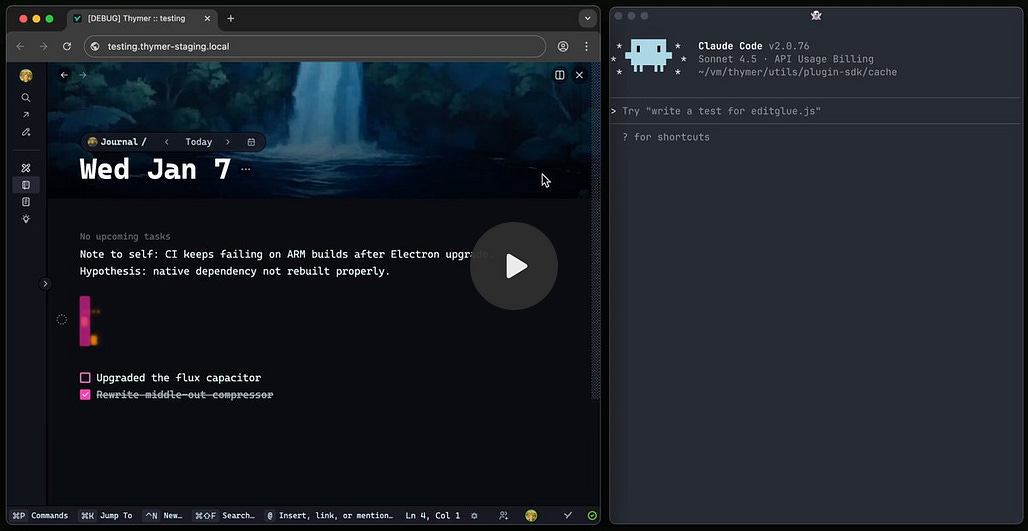
Wim showcases Claude Code Chat with Notes
Wim (Thymer dev) gives us a bit of insight into the goal for Thymer and showcases what is possible. Keeping in mind that the Alpha was released only about 3 weeks ago, things are looking very good.


Thymer Weekly
If you want a more detailed update on Thymer, then please do check out my other publication included below or follow along in the Unofficial Discord.

Obsidian
Obsidian 1.11.4 (early access) for desktop and mobile
1.11.4 Desktop
No longer broken - Fixed a bug where switching focus between the main window and a pop-out window could cause the wrong tab to become active.
Developers - API: Exposed new SecretStorage and a complementary SecretComponent for plugins to integrate with the secret storage. The secret storage is a new opt-in way for plugins to save keys that might be shared across multiple plugins. For example, a Google API token, or an OpenAI key. Instead of requiring users to copy-paste the same keys into multiple plugin settings, plugins can now fetch keys from a shared collection of secrets identified by a user-provided name.
1.11.4 Mobile
No longer broken
Long-pressing on a file in the File Explorer now shows the modified time and created time on their own lines.
The file menu now shows a new menu item Copy path › from vault folder.
iOS: Fixed an issue where devices running iOS 26.2+ would cause tooltips to appear (and never disappear) when interacting with elements.
iPad: Fixed the window traffic lights (Close, Maximise, Minimise) appearing over top of the app interface.
Full release notes can be found here: Obsidian 1.11.4 Desktop (early access) and Obsidian 1.11.4 Mobile (early access)
Claude Skills for use with Obsidian (by Kepano)
Kepano created Claude Skills for Obsidian on GitHub to make setting up and getting the most out of Claude as easy as possible.
All you need to do is download a few files to your vault / Obsidian directory where you want to interact with Claude Code and you are good to do.
Files available here: https://github.com/kepano/obsidian-skills
Claude + Obsidian: What I Discovered in My First 24 Hours
Talking of Claude Code, Construct by Dee shares their discoveries after using Claude Code with this Obsidian vault.
Interesting Reddit Posts
Is Obsidian the right tool for academic research and will bugs drive me crazy? - I’m starting a book project and am looking at Obsidian for collating references, quotes, ideas, and most importantly, visualising links between content to see connections and organise arguments. It seems like it would be a great tool for this (final writing would be done elsewhere). I’m mostly going to work on a Macbook.
Obsidian vs Logseq DB - I’ve really struggled to commit to either Obsidian vs Logseq DB. I love the journal and tagging feature of Logseq DB, but I don’t care for the database file. Has anyone else struggled deciding between Logseq and Obsidian? If so, I am curious how you ultimately decided on one.
Talking of journalling, learn how to implement an effective periodic review and journaling system using Obsidian. This comprehensive guide by Sebastian covers the why, what, and how.
Capacities
AMA with the Capacities Team
Mark your calendars for Wednesday, 14 January 2026 at 20:00 (I am guessing CET) when the Capacities team will host an AMA.
We will be hosting a live text-based AMA session on Discord next week where you can ask us questions, and we will reply to as many as we can in one hour. You can expect replies from our whole team.
Just as a disclaimer: we won’t be answering any timeline and release-related questions, as we are releasing our next ‘What’s Next’ article very soon, and most questions you might have will be covered in there. But if you have anything else to ask us about feature ideas, our team, our workflows, dynamics, and philosophies behind building Capacities, or anything else you’ve always wanted to know, now is your chance!
Link: Discord
Same Question, Different Perspective?
The OP that asked the question on Obsidian for academic research is back with the same question, but for Capacities.
Is Capacities the right tool for academic research and will bugs drive me crazy? Given this is posted in the Capacities Subreddit, there is a slightly different slant on the responses.
TANA
Updated Release
Starting off with a small improvement to Publish that is now live:
Expand state will now be included when you publish nodes
Do Ctrl/Cmd+Arrow down to expand all in the node (before opening preview)
Expand/collapse nodes in Publish preview, as you want the page to appear for the reader, then hit publish
Re-publishing will update the expand state.
In addition to the above, the Tana team would like our input to capture how we feel about Tana now and guide the team on what’s most important to prioritise in 2026.
This will be used in addition to all the feedback that’s been provided here, but this format that we try to do bi-annually gives us important snapshot of how different types of users are feeling right now. The survey will be open until Thurs Jan 16th.
Complete the survey.
Tana Praise
A user in Slack posted the following message of praise to the Tana team:
# Tana is saving my sanity!
I just wanted to take a minute and drop in to say that I am so glad I found Tana and this community!
This application and platform is solving such a bottleneck and pain point for me specifically in my work life role as Director of Operations for a small company. It’s bringing everything together for me. I can dump it right out of my brain and it’s all connected, and I don’t have to worry about disparate systems and information in all areas.
Having AI built right in is so awesome, and I love that the team is accessible here in this Slack community. That’s fantastic! It’s great to see how this platform is evolving, even after three years, and I just got introduced to it this last year. Keep up the great work, Tana team!
A very nice and positive message indeed.
Logseq
New home for Unofficial FAQ
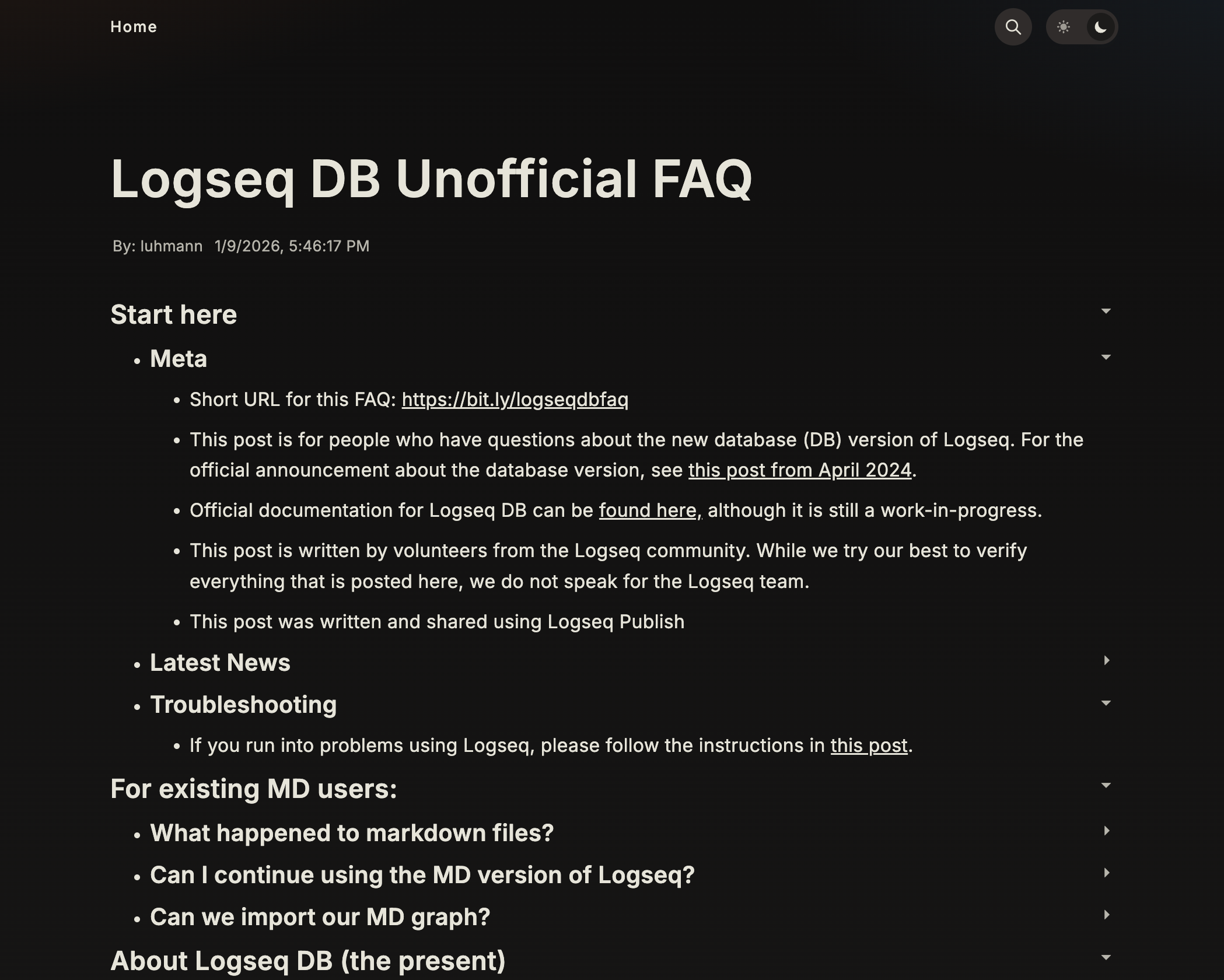
Luhmann updated the Unofficial FAQ and moved it from the forum to Logseq Publish, and it looks beautiful!
The new FAQ page. Luhmann plans to update it more regularly now, starting with a reorganisation.
Flashcard Updated UX
The flashcards feature is being updated in the Logseq DB version. The Devs recently merged the branch into the main code, so we shall see how this works. It should allow for:
Enhanced the flashcard user experience by adding automatic query property management, fixing critical bugs, and improving the UI for managing card sets.
Key changes:
Automatic creation of query property blocks when tagging with #Query or subclasses via pipeline
Fixed critical bug in
api-insert-new-block!where theend?parameter had inverted conditional logicAdded the ability to create new #Cards blocks directly from the flashcard modal with a plus button
Tag-scoped property choices
In addition to the above, the devs are working on a tag-scoped property choices, enabling property choices to be restricted to specific tags/classes or hidden from certain tags.
Key changes:
Added two new properties:
:logseq.property/choice-classes(to scope choices to specific tags) and:logseq.property/choice-exclusions(to hide global choices for specific tags)Implemented filtering logic to show only relevant choices based on block tags
Added UI controls for managing scoped choices and exclusions in the property configuration panel
https://www.loom.com/share/593da64e5af64fc8bb748605610f14ee
Tangent
Tangent just released v0.11! This update added:
Support for embedding audio, video, and PDFs.
Display of Mermaid Diagrams.
Full customization of keyboard shortcuts.
A new icon for MacOS Tahoe.
And more!
Tangent is a free and open source note writing & PKM tool. It works on top of your folder of plain text markdown files and plays nice with other tools! It features an innovative two-dimensional map of what notes you create, browse, and link to, making it so that you never get lost while exploring your thoughts.
Looking forward to the new year, the 0.12.x cycle will focus on improvements to lists and overall interface consistency. The 0.13.x cycle will focus on creating tools for publishing notes to the web!
Octarine
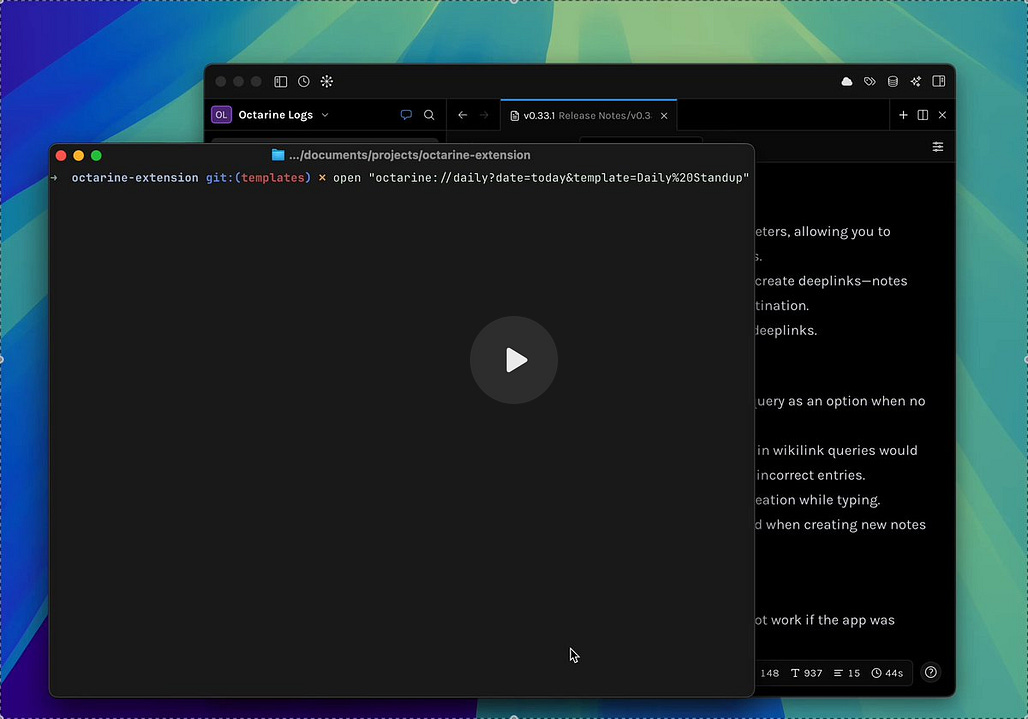
V 0.33.1 is out, which includes Deeplinks templates, optional path. Wikilinks improvements, comma support. Bug fixes.

Heptabase
A few updates in the past week include:
Add the “All actions” panel to view and manage AI actions.
Improve the overall design and user experience of the AI action button.
You can now use your own OpenAI API key to transcribe podcast, audio, and video cards.
Mobile app v1.32.5 - Improve the PDF reader’s overall performance on the mobile app. (We’ve also temporarily removed the ability to view existing highlights on the mobile app)
Redesign the Tag app and rename it to “Tag Database”
Noteey
A new update is available! V1.44.0 20260106 is available.
New Features and Improvements:
Perfect markdown importer and exporter.
Transcript support for video and audio
Enhanced interaction experience for text elements on the canvas
Improved usability of the database table view
Optional time intervals for automatic backups
Optimised display of card titles in the library
That’s all for this week. Thank you very much in advance for reading and I look forward to bringing you more PKM news next week.