Hi Everyone,
We are back with another episode of PKM Weekly. Let’s see what is in store for us today.
Obsidian
What’s one improvement you’d like to see in Obsidian in 2026?
Obsidian asked the above question in a Reddit post, and it has received a lot of responses.
The main improvements people want seem to be focused on:
Better Search and Navigation
Media and Image Management
Better core features that currently need plugins
Database and Table Enhancements
Mobile and Native Features
If there was one (only one) thing you would like to see improved in Obsidian, what would it be?
Obsidian Map View - NEW Paths feature!
Interested in seeing your notes over a map, or mapping different things, then check out Vlad’s latest video where Even though I'm using #Bases for almost everything on my #Obsidian Vault, the Map View plugin is still my go-to for plotting my notes on a map. This is especially true after the recent upgrades that brought us paths.
Vijay Journaled In Obsidian for 2 Years
For the past two years, Vijay has been journaling my life inside Obsidian — not just writing entries, but slowly building a visual map of his life.
Check out his thoughts:
Interesting Reddit Posts
Capacities
Capacities Raycast 2.0 Integration
An updated version of the Raycast integration went live this week. It includes many improvements such as:
Offline support: The Raycast extension now communicates with the Capacities desktop app via a communication token. This means you can use the extension even if you’re offline. Search is still via the server but it’s planned to also be available offline in the future.
Create Task: You can now create tasks in Capacities from Raycast.
Search Details: The search results now show the details of the content in a more readable format.
Better Open Behavior: “Open in App” as default action for opening content in Capacities, “Open in Browser” as fallback action.
Capacities Update
Updates implemented in Capacties over the past week include:
Capacities API: Breaking Change - Capacities are reworking search. This means the API will need to be adjusted as well.
Multiple Pinned Sections
Improved Image Viewer
Embed Resizing Improvements
Lots of bug fixes
Check out the changelog for more details.
Thoughts on Capacities Tasks
From reading the posts on Discord, I can see that there are people who like the new Tasks feature in Capacities, whereas others don’t. This Reddit post perfectly captures the point:
What are your thoughts a week after the introduction of TASKS in Capacities?
Have you already “made friends” with the task feature introduced by Capacities? Are you considering giving up other task planning software (e.g., ToDoIst)? What advantages do you see in the tasks feature in Capacities? Which options have impressed you, and what annoys you or hinders a smooth workflow?
TANA
December Advent Calendar Recap
See the FINAL Tana Advent Calendar that was released on Friday 19, with gifts in the Christmas stockings and a Founder AMA with Olav!
Lots of releases before the end of the year
For the last release of 2025, the devs have added:
AI voice chat now available on iOS (Early Access). Talk through ideas with Tana using voice and get AI responses tailored to your supertags. Configure supertag instructions to customize how AI assists with different types of content. Enable in the Manage tab of the iOS app, then configure supertag-specific instructions in the ‘Voice chat’ section of supertag configuration.
Custom supertag colors - set your own colors for any supertag in the configuration panel. Choose colors that work well in both light and dark modes with the new color picker. Access via Supertag configuration.
Enhanced tab management in desktop app: Drag tabs to reorder. Jump to tabs with Cmd/Ctrl+1-9. Navigate tabs with Cmd+Shift+[ ] or Ctrl+(Shift+)Tab. Move tabs left/right with Ctrl+Shift+PageUp/PageDown (on laptops without PageUp/PageDown keys, use Fn+↑/↓).
Added auto-embedding for Loom and X links. Paste a Loom video or X post URL and it displays inline automatically.
Added Notion importer. Upload Notion exports (.zip, .csv, .md) to migrate your workspace to Tana. Preserves structure and converts databases to Tana format. Access via User menu > Imports > Notion importer.
New model: GPT 5.2 with configurable reasoning levels.
New AI model: Gemini 3 Flash. Optimized for speed and cost-efficiency while maintaining quality responses.
Improved copy/paste: Smart copy as text or reference, right-click paste on empty nodes, duplicate nodes (Cmd+Shift+D), and copy actual URLs from link nodes. All available in right-click context menu.
Dario (CombiningMinds) teaches his boss how to use Tana
If you’re struggling with Tana’s complexity, you’re not alone. Dario brought his boss, Andrew (co-founder of Umuzi), onto the channel for a working session.
Andrew recently completed my Tana course but is still navigating the learning curve, making this a perfect real-world example of common challenges new users face. This is more raw and practical than my usual content - we work through actual confusion points, tackling:
In the video, they explore a lot about Tana and also cover the following:
Setting up related content searches for people/partners
Understanding supertags vs. fields vs. links
Building “To Discuss” and “Action Items” sections
Parent/child relationships in queries
Logseq
Dev Update
The past few months the devs have been busy on the DB version with bug fixes, enhancements and new features - https://github.com/logseq/docs/commit/b9764d911f9194a44bd4371d6e70860e0a7a5a17.
Here are the main changes:
Sync adds E2EE encryption
Plugin API enhancements, including cljs SDK
Mobile enhancements, including audio recording and native UX
MCP Server available for desktop and CLI
PDF enhancements
DB graph Importer adds support for Zotero PDFs and block-level tags
CLI - Updates from 0.3.0 to 0.4.2
Perf enhancements, including simple query perf
New UI for Authentication
Full docs at https://github.com/logseq/docs/blob/master/db-version.md.
Android Update
Tienson posted an update on the Android app on Discord:
“The development is almost on par with iOS. We plan to set up Google Play test next week, meanwhile, you can try the build from GitHub actions.”
Looking forward to seeing this app out in the wild. I believe it will be only for thenew Logseq DB version.
Logseq DB and New Sync Access
If you are a “sponsor” (OpenCollective), you should now have access to the Logseq DB version and the new Sync.
The team aims to open the doors to “backers: in the next few weeks. Maybe not days, we’ll make sure to open access to all backers in a few weeks.
Post.
Craft
The last major update of the year is out!️
Craft Assistant can understand your Images and PDFs
Images - Extract text, create captions, generate alt text
PDFs - Summarise content or simply just ask questions (Max model is needed for PDFs)
Help Agent got much smarter, and it’s free to use! - Open Assistant and switch to Help Centre mode - ask questions about Craft and learn all the hidden superpower capabilities
You can kick off web search - The new “Web Research” capability added to help you research topics online directly from the Assistant
The first step for full offline support for the Web is here! - Under Settings, you can opt-in and you will be able to open all your content, even when you are offline. It’s the first step for full offline capabilities that we will roll out on the Web, Windows and in the Android app as well!
Winter Deal is still running - link
Bundle (save one-time 60%) - Raycast, Endel, Ground News, Craft - great for you or as a gift
Craft-only (40% recurring discount)
Heptabase
A few updates were posted during the past week that included a couple of new additions and bug fixes:
Fix an issue where the + button in the bottom right corner fails to upload files.
Fix an issue where users can’t share PDF or video files to Heptabase using the share sheet.
Add the Gemini 3 Flash and GPT-5.2 models, and remove the Gemini 2.5 Flash and GPT-5.1 models.
You can now add a YouTube playlist in the “Research a new topic” window and import all the videos at once.
Able to drag a .txt, .md, or .docx file into the Card Library or Whiteboard to add it as a card.
When dragging multiple items into a section, the section will now automatically expand to include all the selected items.
Add a new “Close window” shortcut (Cmd/Ctrl + Shift + W) to differentiate it from the “Close tab” action.
Change the “Card info” button to “New chat/Add to chat” in the Card instance’s top-right toolbar.
Noteey
A new update is available! V1.43.0 changelog New Features and Improvements:
Improved interactions for sticky notes and text elements (single-click to select, double-click to edit).
Project web publishing now supports local video and audio files.
Bug Fixes (including but not limited to):
Fixed an issue where the default card title could not be restored after being deleted.
Fixed several search-related issues on the project list page, highlights page, and tags table view.
Talking of Noteey and Heptabase, if you are stuck choosing between them, then Antone posted the article for you. I’ve spent countless hours in both, and the answer isn’t what you’d expect—it depends entirely on how you work:

Reader (Readwise)
For all you podcast fands out there - Readwise released the Podcast Transcripts feature, (one of the most requested features).
Also, the team posted ablog post which looks at the eternal debate: Ebooks vs. paper books. We’re sharing a piece that digs deep into the controversy and makes some excellent points. Who’s going to win, and who are you rooting for?
The devs also fixed a bug that was blocking TTS for EPUBs. Read on for all the details or check out our log of weekly improvements.
ICYMI: Our team has put together a Holiday Gift Guide, perfect for serious readers. That can be you or someone you care about. You’ll find the guide link at the end of the recommendations.
Check it out - https://wiseup.readwise.io/
Octarine
v0.31.0 out now!
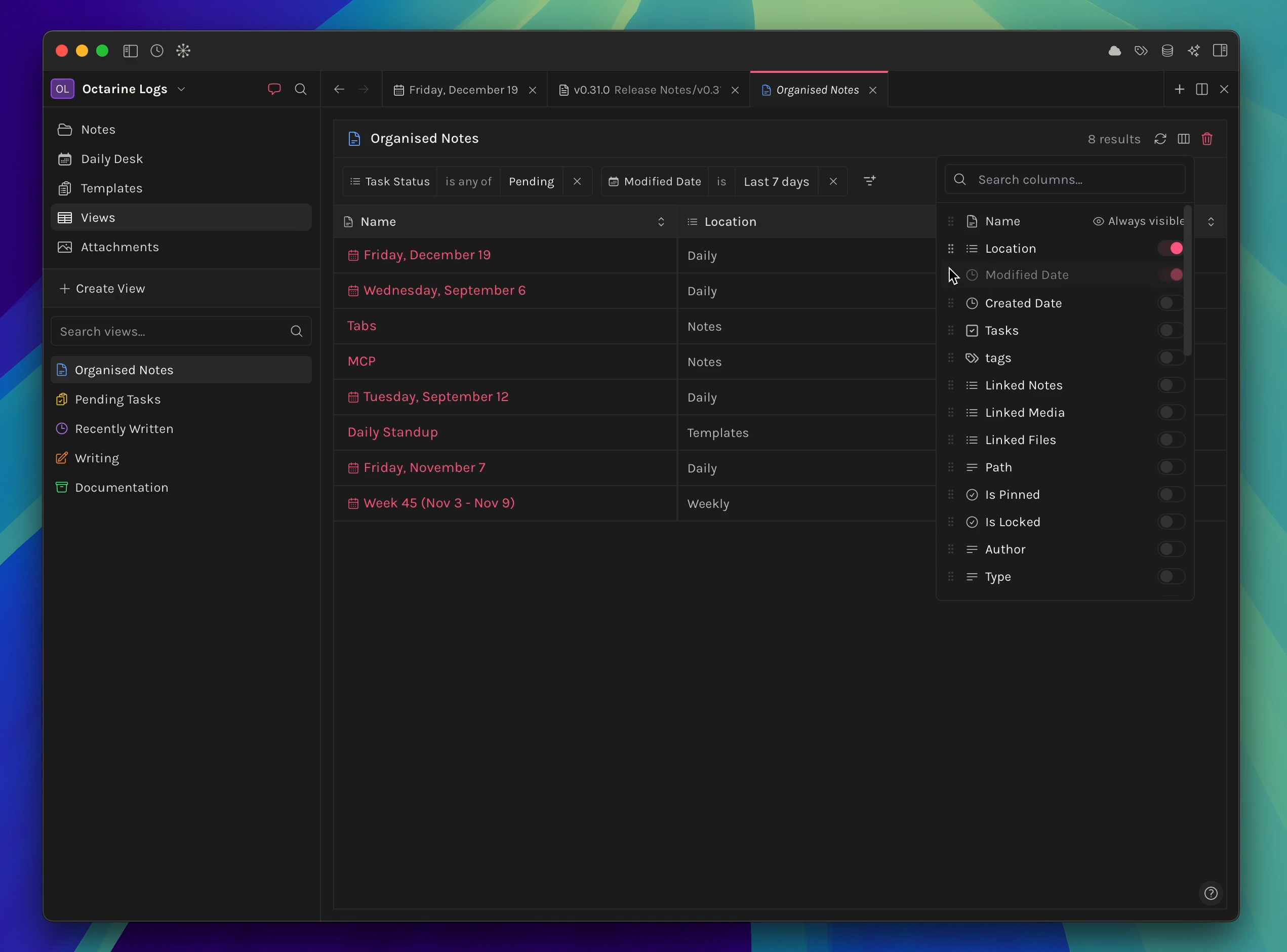
Introducing Views (only available to users on the Pro License) - Views let you create custom filtered, sorted, and grouped tables of your notes —powerful datatable interfaces for organizing, searching, and visualizing your content at scale. Think of them as smart saved searches that update automatically.
You can now reorder workspaces by dragging them in the Switcher.
Recently Viewed popover now also keeps track of Graph and Ask Octarine tabs.
Typing - [ ] manually in the editor will automatically convert it into a to-do checkbox.
Improved design for tags and list properties.
Collabwriting
Collabwriting AI Chat & Canvas - A New Way to Make Your Research and Insights Truly Useful
AI Chat gives you access to expert agents like ChatGPT, Grok, Gemini, Claude, and DeepSeek. They help you find relevant, accurate information quickly, all grounded in your own research and verified online sources.
And with Canvas, you can turn your collected insights into a clean, structured workspace. Everything stays connected and editable, so you can see the big picture, refine your ideas, and keep building on them over time.
Explore more below:
AI Chat in Collabwriting: https://help.collabwriting.com/en/col...
Canvas Mode: https://help.collabwriting.com/en/art...
Interested and want to Get Early Access? The early offer is open to the first 200 users who upgrade. We’ll roll out the new AI features in weekly batches of 50 until everyone has access. https://collabwriting.com/offers/ai
Thymer
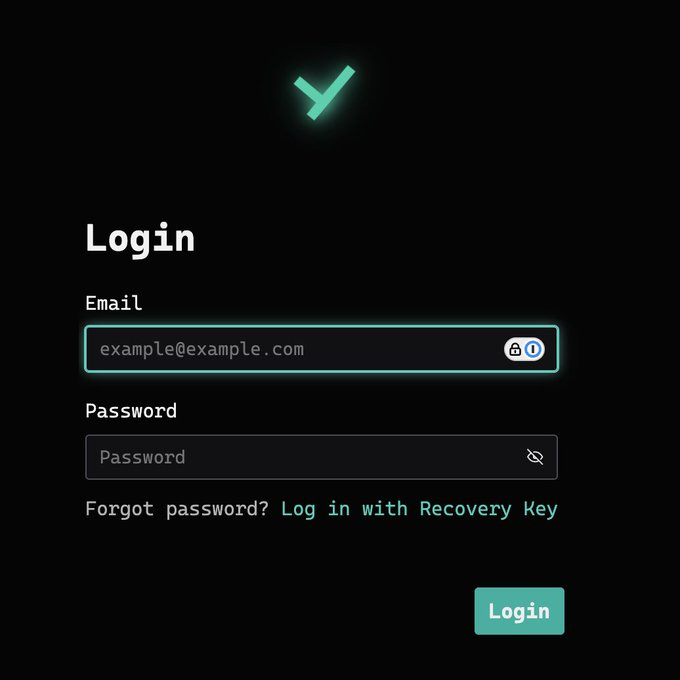
We are getting realllllly close to a release. The website was updated to include a “login” button, which directs to a new login page:
Hopefully next week, we will learn more / invites will be sent to the first batch of testers - lots to look forward to. Twitter.
That’s all for this week. Thank you very much in advance for reading and I look forward to bringing you more PKM news next week.