Hi Everyone,
We are back with another episode of PKM Weekly. Let’s see what is in store for us today.
Obsidian
Obsidian 1.10.6 desktop and mobile!
A few highlights of the latest release
Fixed external links overflowing in property editor.
Right-to-left languages: Fixed cursor positioning incorrectly when clicking at the end of a line. Also fixed several regressions with the interface, including the position of the calendar icon on date inputs.
Bases: Fixed shift-clicking in table view sometimes creating an incorrect selection.
Bases: Fixed formula suggestions being cut off.
Canvas: Fixed YouTube embeds not loading.
Desktop: https://obsidian.md/changelog/2025-11-25-desktop-v1.10.6/
Mobile: https://obsidian.md/changelog/2025-11-25-mobile-v1.10.6/
If I Lost This Setup, I Would Stop Using Obsidian
Nick has updated his Obsidian setup for beginners, existing Obsidian users, and anyone who wants a home for their best thinking, ideas, projects and more. In this video, he walks us through the Home Base Note, his ACE system, and all the new features in Obsidian so we’re ready for 2026.
Interesting Reddit Posts
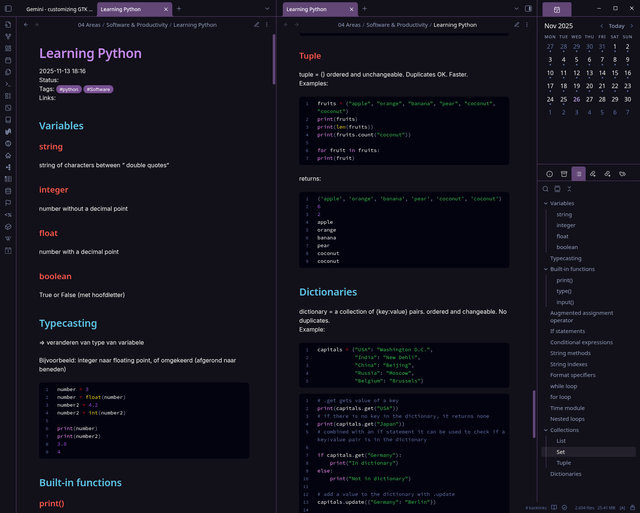
Taking notes in Obsidian for learning Python [or any language] - After every exercise, I summarise what I just learned in a note in my Obsidian. It’s a great way to track my progress and make my own personal documentation of tips, mistakes, and pitfalls. And it just looks nice too, especially with the Code Styler plugin, which allows you to style the code blocks.
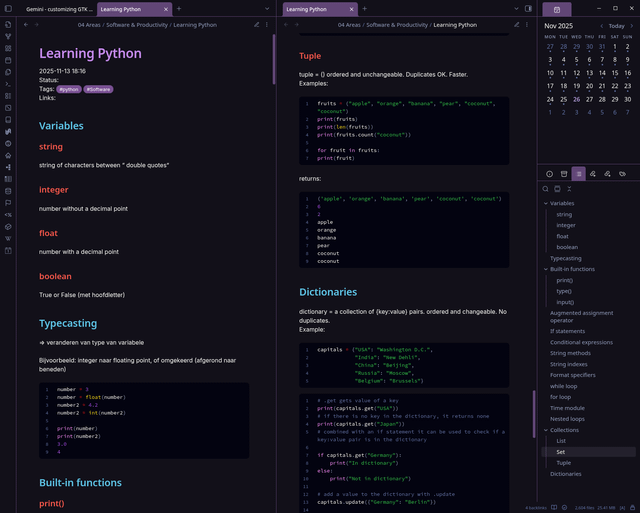
Board View plugin beta release - Board view plugin for bases. Being reviewed to be added as a community plugin. Some key features: Column and Row Grouping, Drag and Drop, Interactive Properties, Color Coding, Images & Icons
Capacities
So many cool features in the latest November App release:
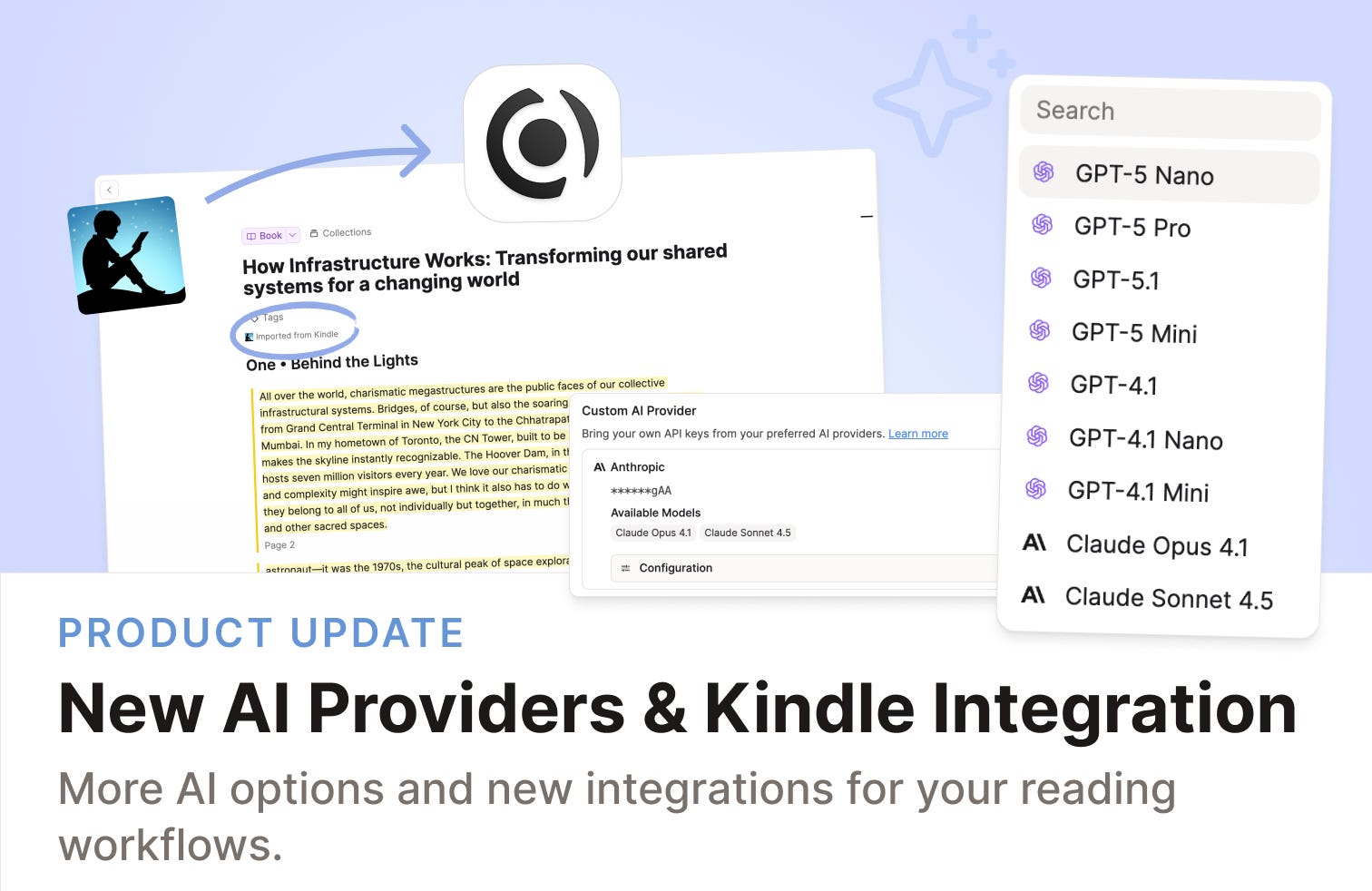
Choose your own AI Model Provider - You can now use Capacities AI with other model providers than OpenAI. You can now plug in your own API keys from OpenAI, Anthropic, Google, Mistral, or xAI.
Kindle Integration - You can now bring your Kindle highlights directly into Capacities via our email integration by emailing your highlight exports to your graph.
Web Highlights 2.0 - Web Highlights 2.0 integration that combines the power of Web Highlights with the power of our highlight blocks. Video to see it in action.
Raycast for Windows - you can search your notes, add to your daily note, and save web links without having to open Capacities.
and more - changelog
TANA
Tana Currents - November 2025
Gemini 3! Progress wheels! Mobile widgets! A lot has happened lately, and a lot more is coming soon! Join us to know what we’re CURRENTLY working on at Tana - recent releases, upcoming features, tips, tricks and happenings from the community.
Live Build Session: Compound Journaling
In this session, Mark (Tana team) will explore how to build a review workflow in Tana that turns daily writing into clarity over time, moving from raw notes to weekly reflections, to emerging themes, and into a structure that grows with you.
Capture & merge daily entries into unified weekly summaries
Extract entities like people, themes, tasks, questions, and insights
Build review nodes across time windows (weekly → monthly → quarterly → annual)
Surface long-term patterns using views, queries, and structural connections.
When: Wednesday, December 3rd, 11:00 AM GMT
Register here: https://luma.com/0h1uczb0
Logseq
Roadmap Update
The devs are finally active in posting updates, and we have had a good one this week. The roadmap that Logseq are working towards:
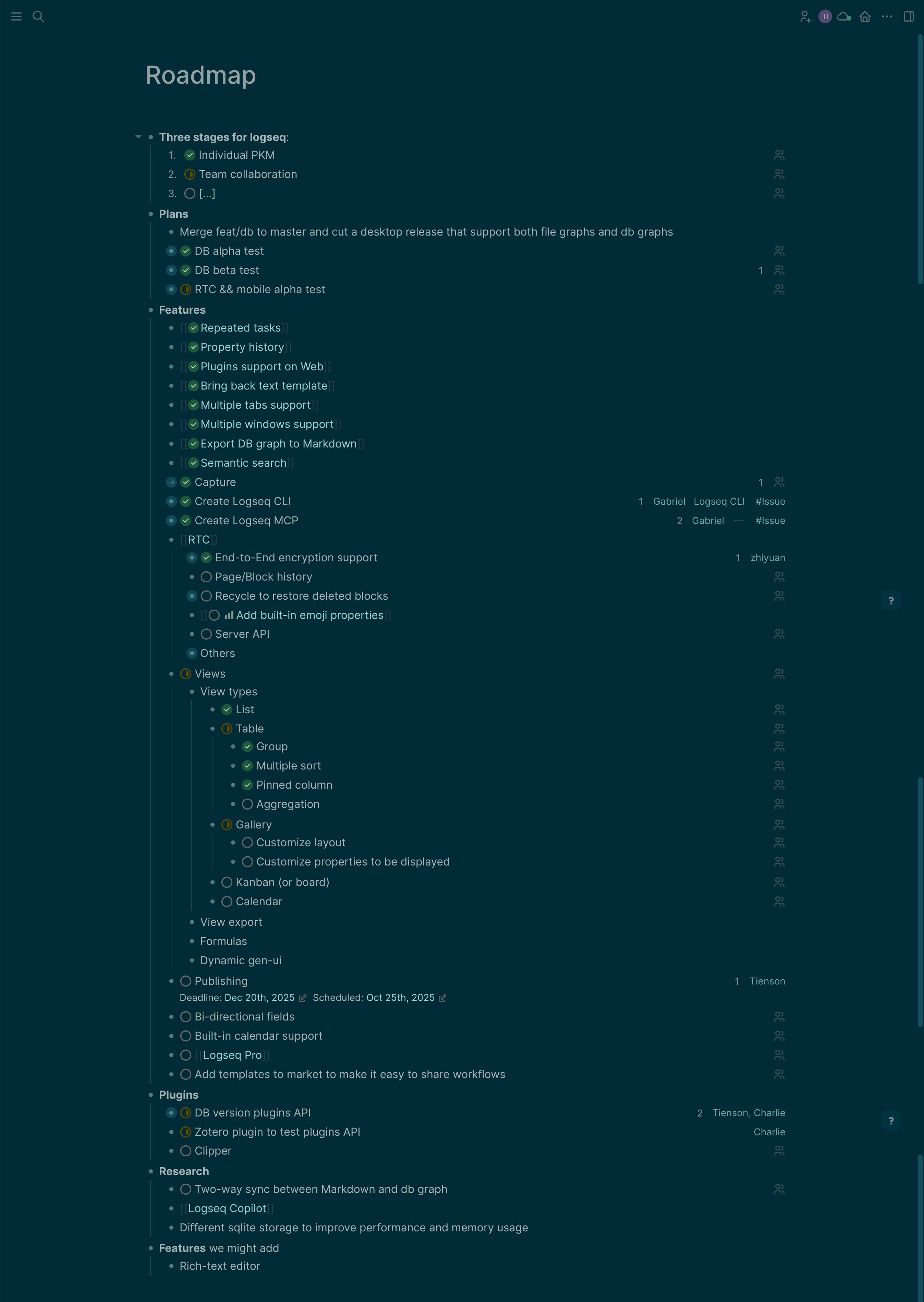
https://discuss.logseq.com/t/logseq-product-roadmap/34267
New Mobile App Showcase
As part of the DB version, Logseq are working on a new mobile app (iOS for now, but Android coming soon), and Danzu showcases the new app in this recent Twitter thread:
https://x.com/HDanzu/status/1994460717399822535
Scopit
The indie developer of this cool deadline-first app contacted me, and to support them on their journey and showcase what might be a very useful app to many readers, I thought I would include it in this week’s edition.
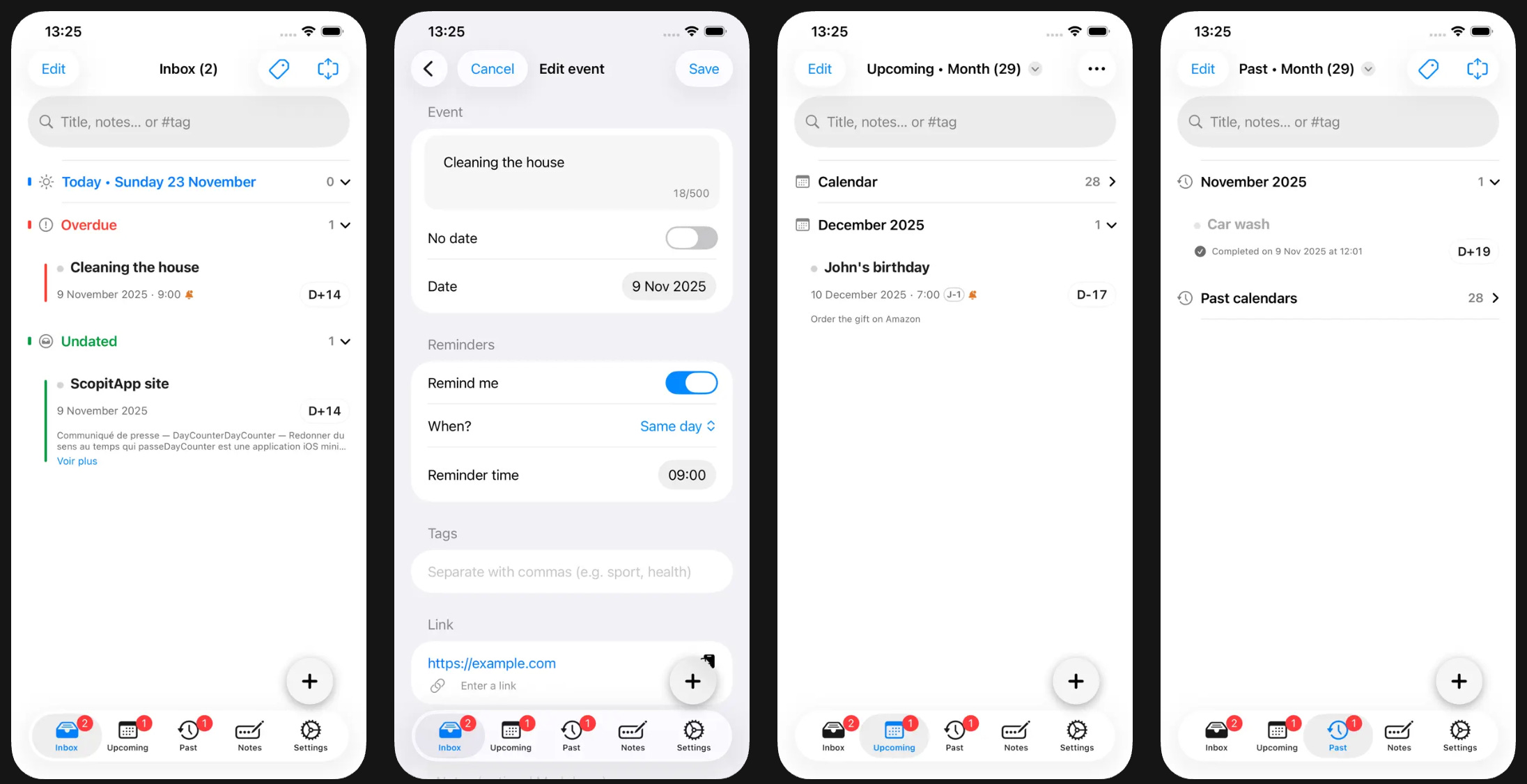
Scopit is a small deadline-first planner for Apple users (iPhone, iPad, Mac).
It organises events, due dates and reminders into three simple timelines: Today, Upcoming, Past
It includes daily notes with Markdown and checkboxes, for journaling or scratch-pad style planning
It’s local-first and private: no account, no analytics, encrypted JSON backups stored on device
The idea is to give people who think in dates and timelines (exams, projects, creative work) something that complements their PKM setup rather than replacing it.
https://apps.apple.com/us/app/scopit/id6752564453
Kosmik
Kosmik is officially coming out of beta next week!
What does this mean for you?
To thank you for helping make Kosmik what it is today, we’re giving you a full year of Kosmik Pro completely free.
If you signed up for Kosmik before our official launch, you’ll automatically receive the Kosmik Pro plan at no cost for one full year. After that, Pro will be $11.99/month (billed annually) or $14.99/month (billed monthly).
What we’re building next
Markdown support and a better note-taking experience → We already support markdown syntax, but this evolution will allow you to import and export notes in MD in Kosmik.
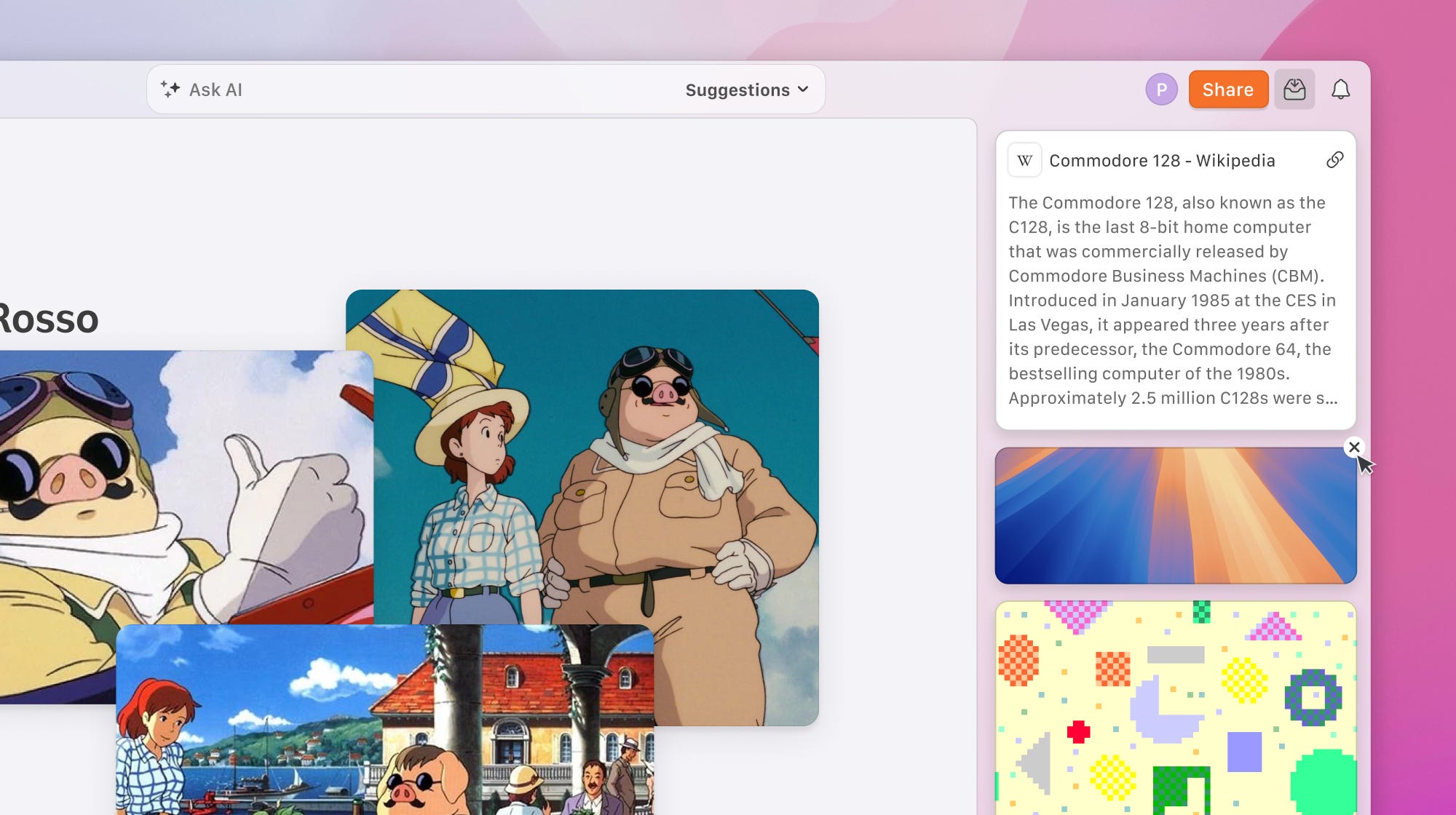
Inbox and a better clipper → We’re going to upgrade our web clipper UX and redesign the inbox to make it easier to import clipped content in Kosmik.
An updated tag system → Complete with color sampling and manual descriptions.
Many more surprises
AnyType
December Town Hall
Wednesday 3 December - 16:00 - 17:00 GMT
Let’s get together for a Town Hall again – we’ve missed these. We’d love to reconnect, share what’s been happening behind the scenes, and make space for your questions, thoughts, and feedback.
50% Off Everything
Black Friday - 50% off everything - until 2 December 2025.
What’s New in Anytype Desktop Update v 0.51 (Nov 2025)
This desktop version 51 Anytype release includes ExcaliDraw (whiteboard), sidebars on the left vs right side, and updates to chat (messaging). Recorded on a Windows PC v51.1
Heptabase
In the latest version, the AI has been upgraded so you can ask questions using your entire knowledge base as context.
For example, when I asked AI to find an idea I wrote in my journal last month, it generated a query for all journals from Oct 1 → Oct 31, 2025 and jumped straight to the exact content block containing that idea.
MyMind
Save 30% on our Mastermind annual plan. This is the only deal we do all year, and it ends December 8. Link
And also check out their latest feature:
Mem
v2.17 comes with major updates to Voice Mode.
1. Auto-Detection: Mem detects when you join a call (Zoom, Teams, Slack, Google) and offers to take notes.
2. Invisible: No bots join the call. It works locally and privately.
3. Auto-Stop: Forget to hit stop? Mem detects the silence and wraps it up for you.
And also they are introducing Back-to-Back Voice Mode.
You can now jump straight into a new note and start recording immediately. Mem automatically wraps up your previous session and switches you over instantly.
Perfect for rapid-fire brain dumps.
https://x.com/memdotai/status/1993053335235219742
Craft
Thanksgiving update - packed with so much stuff. Don’t forget you can still get 40% off.
Space-level Craft Assistant to chat with your entire workspace.
Local chat history, threads, and smarter replies in Assistant.
API and MCP to connect Craft to your tools and AI services.
New Mac and iPad tabs, including vertical tabs on Mac.
Whiteboards v1.0 with offline access and rock-solid stability.
Upgraded Code Editor with no limits, live math, and better syntax.
Craft for Android beta is now available on Google Play.
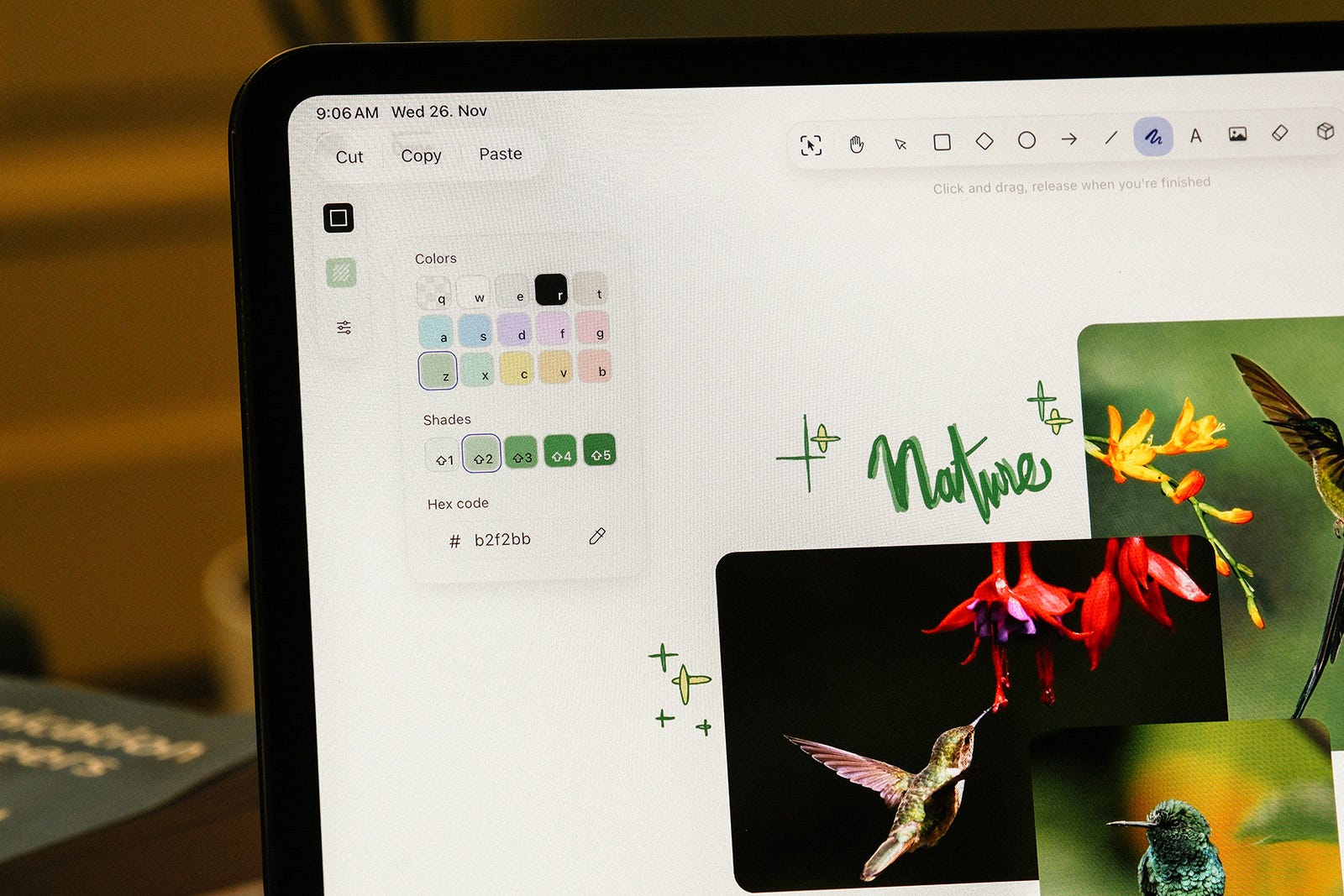
Full update - changelog
Thymer
This is nicely taking shape, and we received the latest tease on Monday: Nostalgic theme + 4 Tasks left (and if you look closely, the 4 is calculated on the fly. Very impressive!) Unofficial Discord + Reddit.
https://x.com/wcools/status/1993079471734149552
Another of my favorite themes for note-taking, 8-bit nostalgia always works great for focus
That’s all for this week. Thank you very much in advance for reading and I look forward to bringing you more PKM news next week.